Building a Winlink Tactical Gateway

Author: Scott Read KM6RFB

As part of my efforts to build a portable, self-contained Tactical Winlink Gateway, I’ve put together a setup featuring a TYT TH-9000 paired with a Repeater Builder RIM-Alinco wired for the TYT radio. The reason I chose this radio it is very similar to the discontinued Alinco DR-135 and you can add a DB-9 connector on the back of the radio.

Scenario: There has been an incident that has taken down the regional infrastructure and you need to be able to pass traffic with the EOC and  your fellow operators. You are located in an area with ridgelines that make it hard to get out, but that can work to your advantage.  

This kit allows for you to go to a ridge top that your EOC and fellow operators have RF access to. This kit is design to be a local Winlink Post Office so you can pass traffic to maintain situational awareness and to provide real time information to the EOC or your served agency. This becomes a fantastic tool for emergency communication or remote operations.

The Setup
The beauty of this kit is how compact and practical it is. The entire system is mounted on a cutting board inside a durable case. To set it up, I simply open the case, flip over the board, and the radio is already mounted and ready to go. It’s a real “plug and play” system, and it’s easy to transport and deploy in various environments.

For added functionality, Self-Contained Power, one of the best features of this kit is the space available for a LIPO4 battery underneath the radio. This means the entire setup is self-contained — no need for external power sources when you’re in the field. It’s an ideal solution for portable operations, especially when you’re relying on battery power for extended periods.

Needed equipment to complete this project:

1-Utility Box.

1- 15.5” L x 10” W Hard plastic cutting board. Trimmed to fit just inside the Utility box.

1- TYT TH-9000 Radio either VHF or UHF.

1- Repeater Builder Rim-Alinco wired for the TYT TH-9000D radio.

1- Uniden BC7 Bearcat 7-Watt External Speaker.

1- SO239 to So259 Chassie Mount Connector.

1- RG8X 1’ Jumper Cable PL259 to PL259.

1- Panel Mount RJ45 Waterproof Connector.

1- Beelink Computer.

1- N9TAX Rollup antenna.

1- 50’ – P-Cord.

Where to Find the Gear
If you’re interested in putting together a similar kit, I sourced all my equipment from the WaveTalkers Amazon Shop: Tactical Winlink Gateway. It’s an excellent resource for amateur radio gear, and a great way to support WaveTalkers since we earn a commission on any items you purchase, yet this doesn’t cost you an extra penny, so thanks for using the store when buying the parts for you Tactical Winlink Gateway. All of the items have bee selected to ensure compatibility and reliability in the field.

Conclusion
Whether you’re building your first flyaway kit or looking to upgrade an existing setup, the combination of compact radios, sound cards, and a reliable power source can make a world of difference in field operations. The flexibility and convenience of a self-contained system make it an invaluable tool for amateur radio operators everywhere. Stay tuned for updates as I complete my next kit, you can find more information about this build and other great information at WaveTalkers or watch us on the WaveTalkers YouTube channel.

Build Instructions

  1. Cutting Board: Trim the cutting board to fit inside the Utility Box so that it will rest of the top most inner lip of the box. I used a table saw, sander, and files to finesse the fit of the cutting board to match the contours of the box.

    The open handle of the board should be on the end of the cutting board where the box opens at so it can be used to easily lift the board and radio once everything is fully mounted.
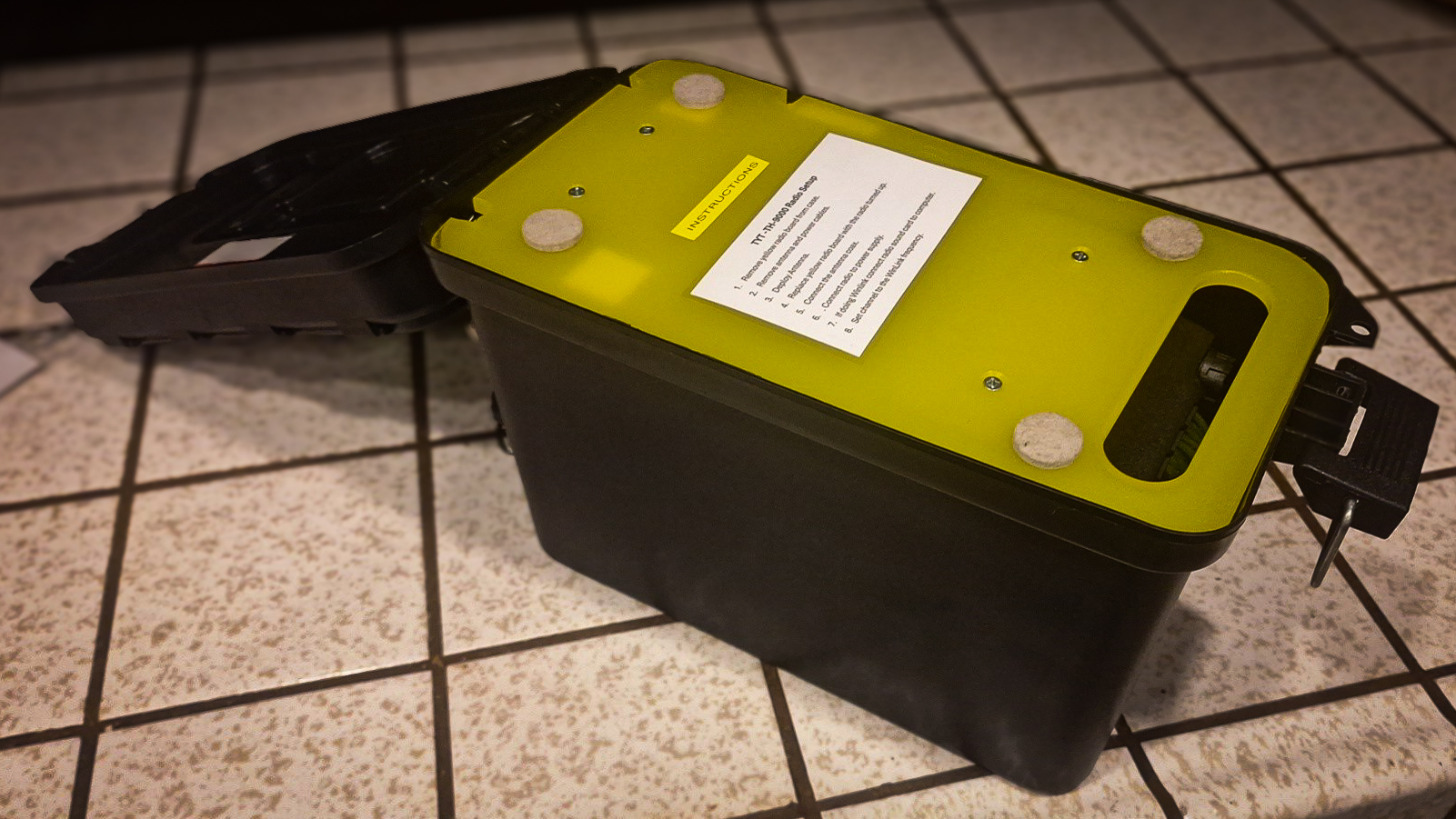
    Yellow cutting board fit into the top of a black utility box.
  2. Radio and Speaker Placement: Attach the radio mounting bracket to the radio and likewise for the speaker. Find an optimal placement of both units on the cutting board as shown.

    Be sure to leave enough room for around the edges of the cutting board so that equipment will not touch the walls of the box when the board if flipped over in the stowed position. Also, ensure there is enough room between the radio and the speaker for the Alinco RIM board and all cabling.
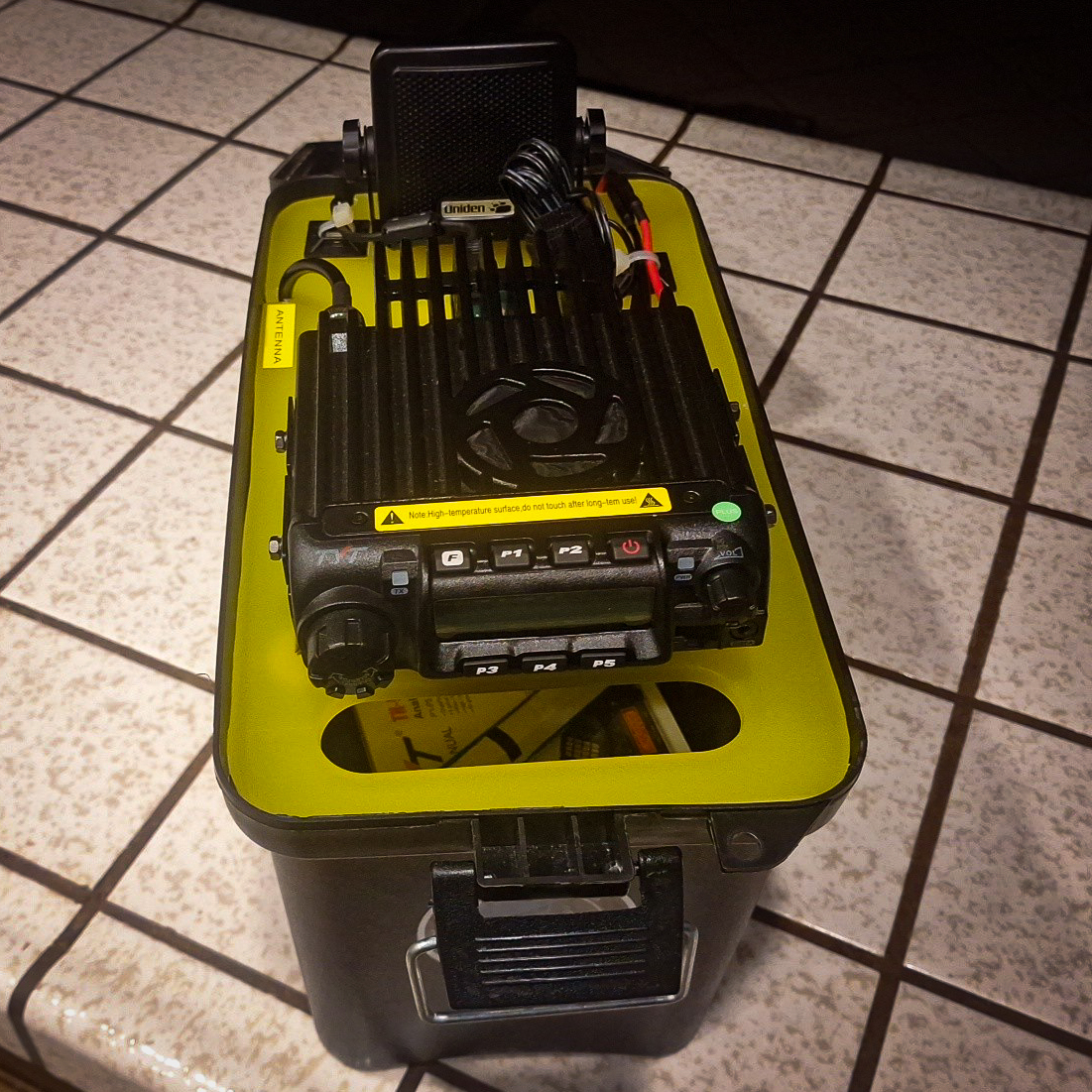
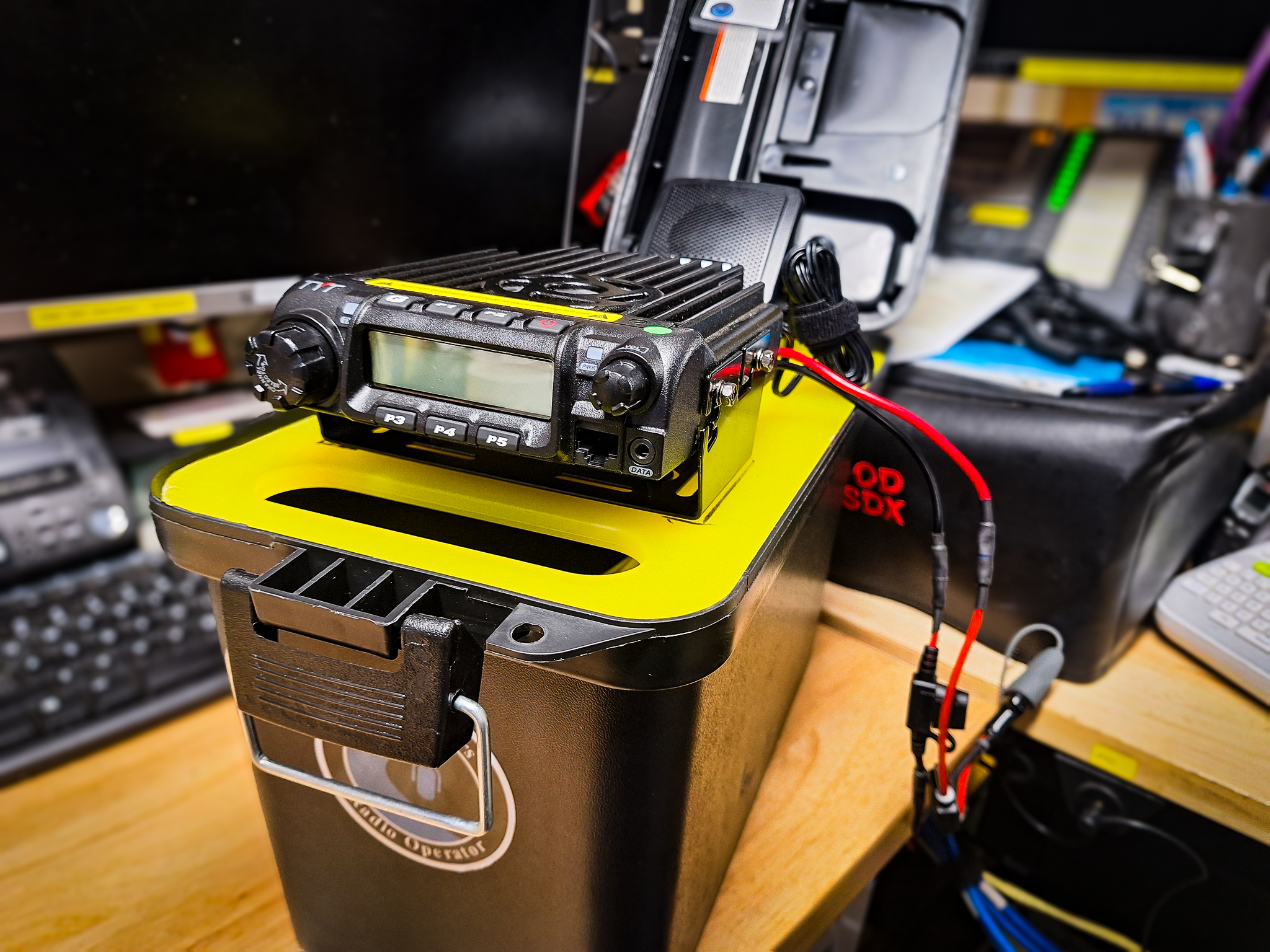
    Tactical Winlink Gateway top front view.  radio and speaker mounted on a yellow cutting board and fit into the top of a black utility box.

    Find optimal locations for the Coax, USB, Radio Power, and speaker wire notches. Mark and cut notches large enough for the wires too pass through and not chafe. Using a round file, add a small radius to each notch to allow cables to smoothly pass through the notches when deploying and striking the Tactical Gateway.
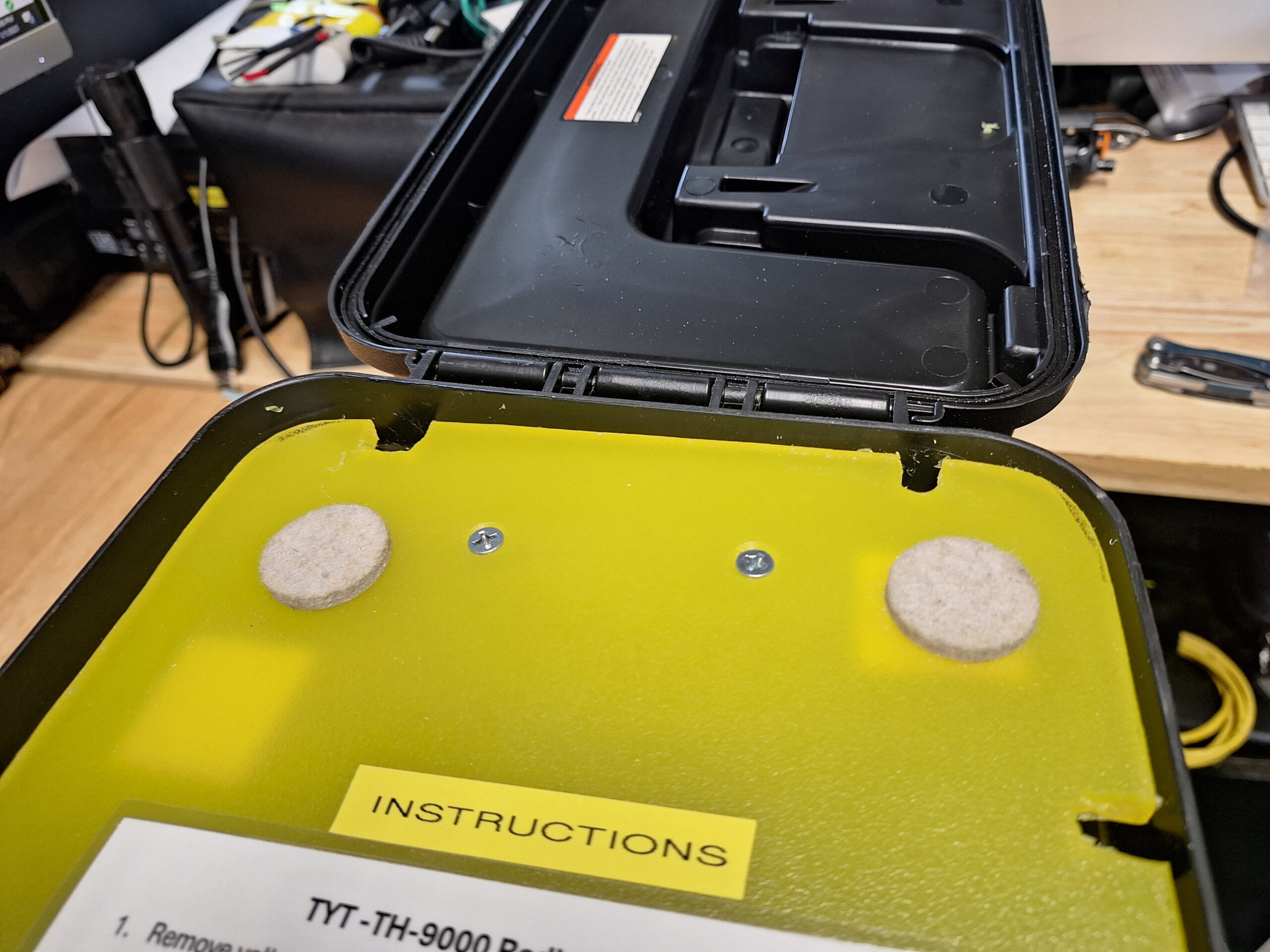
    Yellow cutting board with notches cut out for cable pass through.

    Mark all mounting holes. Double check hole placement, then drill and countersink all mounting holes. Then remove the radio and speaker from their respective brackets and attach the brackets to the cutting board. Then reattach radio and speaker.
  3. Finishing the Radio side of the board. Using a label maker, label each notch to note which wires should be passing through each notch. Attach the Alinco RIM board to the radio and attach the USB cable. Run all other cables to check for fit then attach zip tie anchors to the cutting board and secure all wires with zip ties.
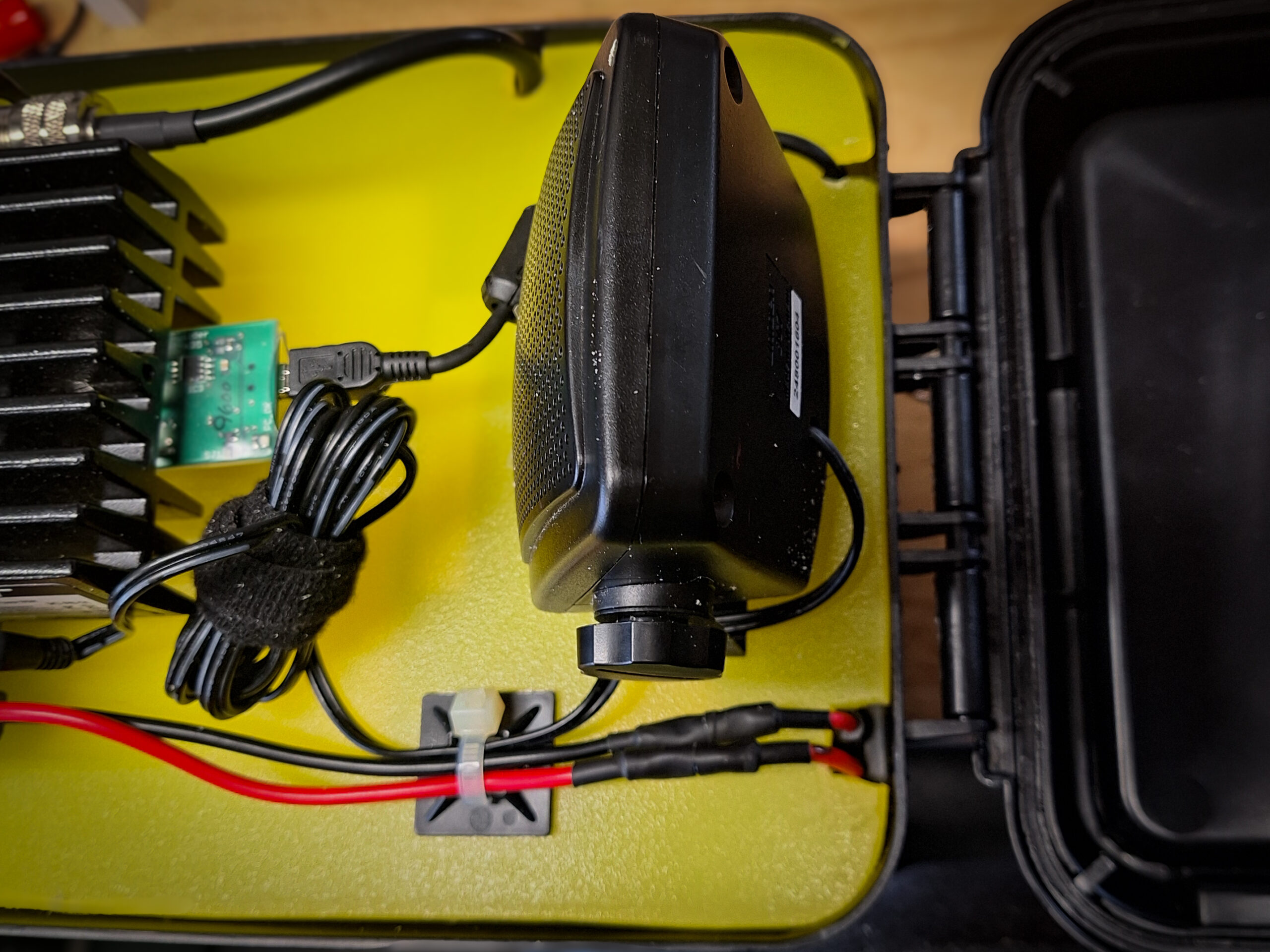
    Detail image of yellow cutting board with radio, and speaker mounted.  cabling is run and tied down with zip ties and zip tie anchors.  RA board installed on radio and usb cable installed.
  4. Utility box build: Locate and drill appropriately sized holes for the Coax, Ethernet, and Power Pole panel mounts and all mounting screws.

    Pro Tip: Before installing panel mount components, seal the components to the box with silicone sealant to prevent water intrusion into the box. Attach screws or backing hardware and allow to fully cure.
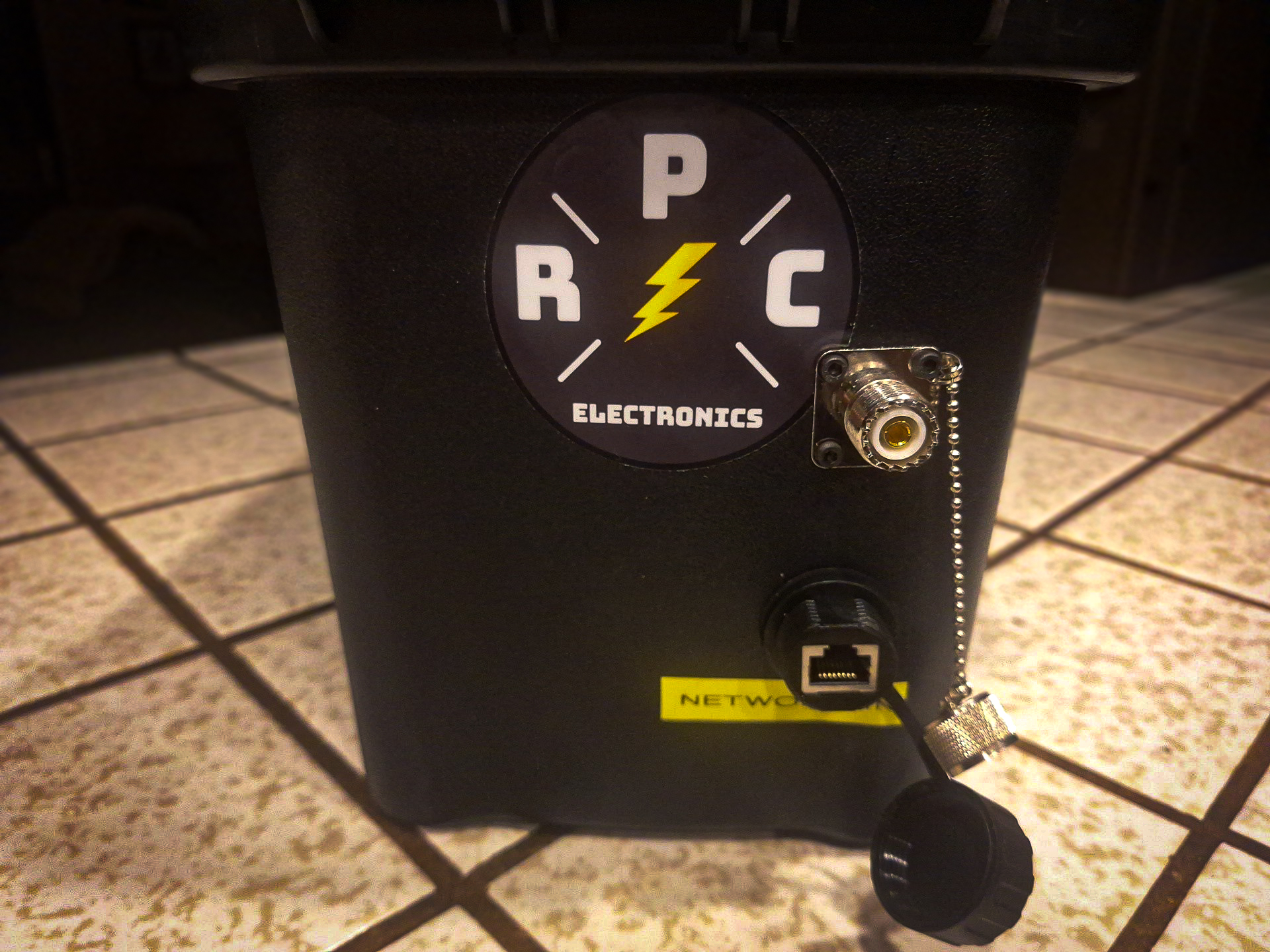
    Front face of the Utility Box with a panel mount SO239 and ethernet port installed.
  5. Install Gateway PC: located the micro pc in the middle of the bottom of the Utility Box. Ensure the power and USB cables have room to run unobstructed in the direction of the hinge on the Utility Box. Once placement has been identified, clean the bottom of the box with 70% isopropyl alcohol and allow to dry. Then attach adhesive back loop side of hook and look fasteners that you have cut to the size of the under side of the micro pc. Press firmly to ensure adhesion to the box. Repeat this for the bottom of the micro PC ensuring to avoid any air vents. Use 2 pieces of the hook side of the adhesive backed fasteners and stick the adhesive backs to together to form a double sided hook tab the size of the bottom of the micro pc. Attach this double hook tab to the bottom of the box and then attach the micro pc on top of the assembly.

    Using this method of attaching the hook and loop fasteners, ensure maximum flexibility in attaching additional accessories in the future. As a bonus if the micro pc is reused in another capacity, the loop side of attachment system will have a soft pad on the bottom and only stick to surfaces that you want it to stick to.

    Include a HDMI cable for the micro pc. Carefully coil the cable and use a hook and loop one wrap to secure the cable. The HDMI cable is for connecting a monitor during maintenance. The micro pc should be configured to auto boot on power connection, and automatically launch all necessary RMS software as described in WaveTalkers LIVE Episode 57 and Episode 58.
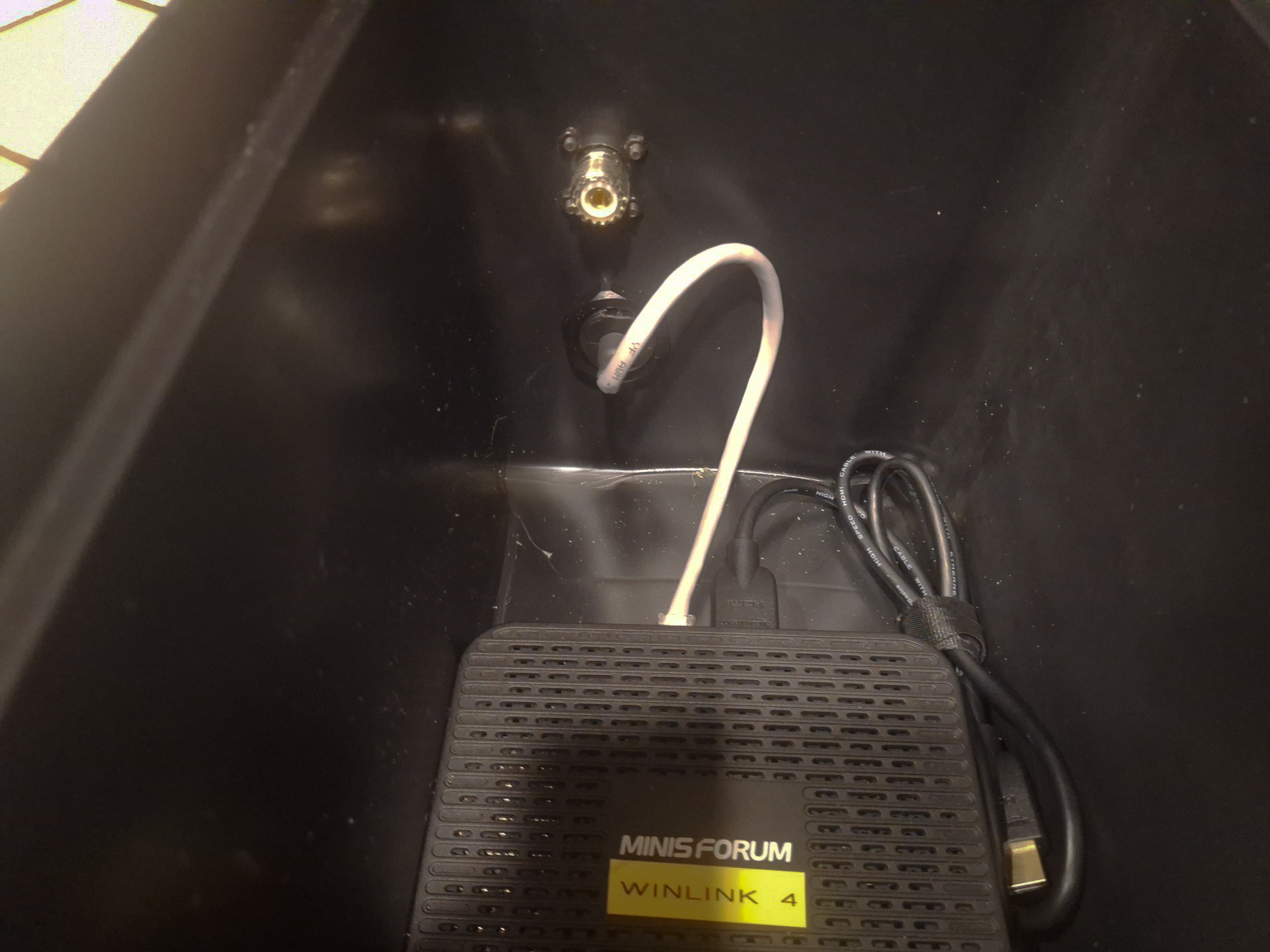
    Micro PC installed in the bottom of the utility box with short network cable attached to open port and enough room for USB and power cables to be run cleanly.
  6. Accessories: organize appropriate accessories into small kits that will fit into the Utility Box and will be appropriate for your needs. Suggested items would include: mag mount antenna with coax, Ed Fong or N9TAX roll up slim jim antenna with coax, 50 ft of working line with throw bag for roll up antenna deployment, small flash light or glow sticks for night deployments, LiFePO4 battery or a separate battery box, coax adapters, short 2 inch piece of 1/2 inch pvc pipe with 6 ft of gaffer tape wrapped around it, small pocket knife or plier tool, spare fuses and other power adapters if necessary. Organize kits into small Packing Cubes or similar stuff sacks.
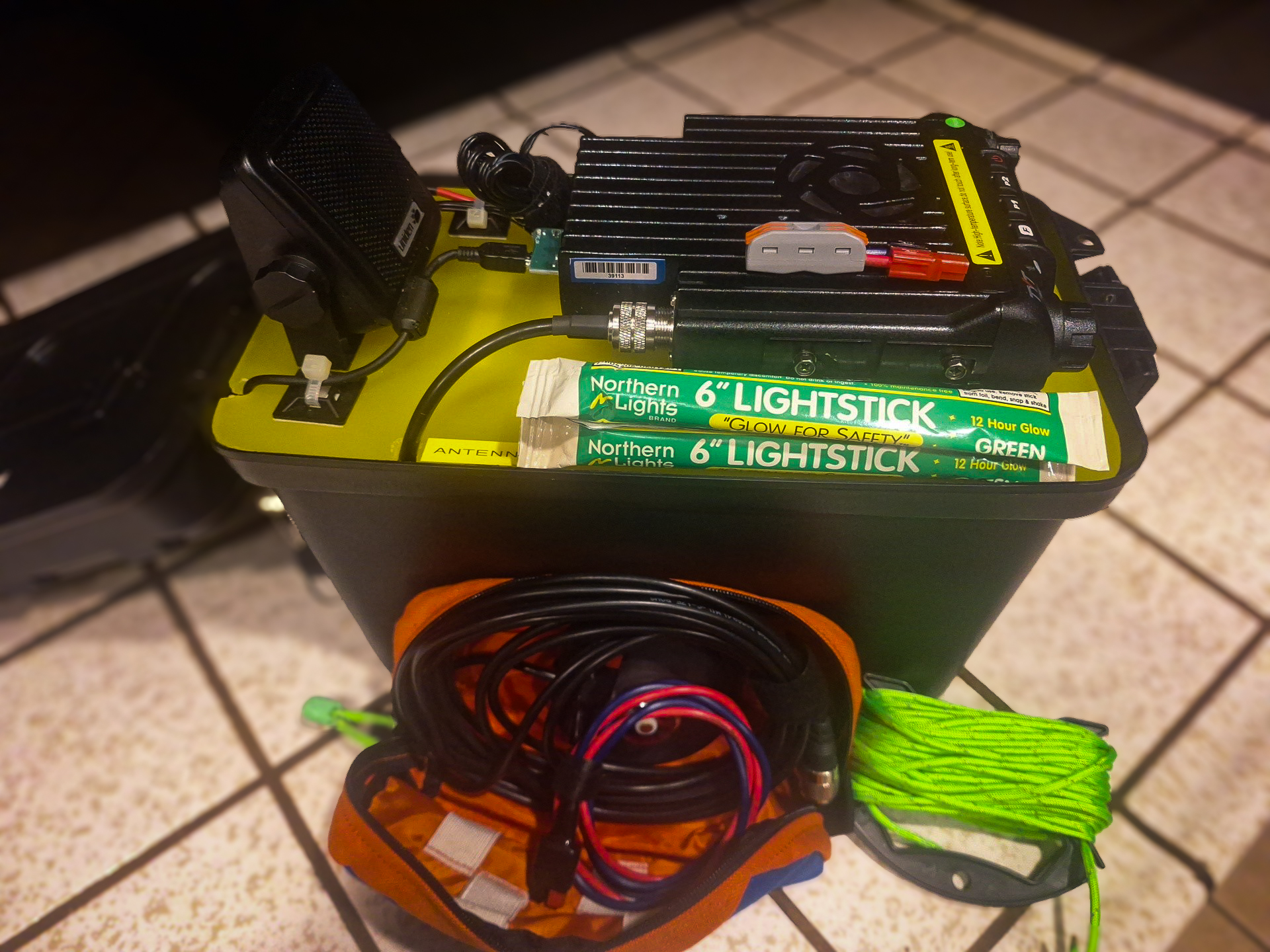
    Tactical winlink gateway with accessory bag and sample accessories including mag mount antenna, working line, glow sticks, etc.
  7. Lid Storage items: Radio microphone for voice traffic can be stored in the lid or Accessory kits.

    Pro Tip: Install a length of colored utility line onto the handle of the Utility Box to add quick visual identification of your Tactical Winlink Gateway and act as a padded handle. The color of the Utility Line should match the color of tape or stickers that you have chosen to mark all of your gear for quick identification during deployments.
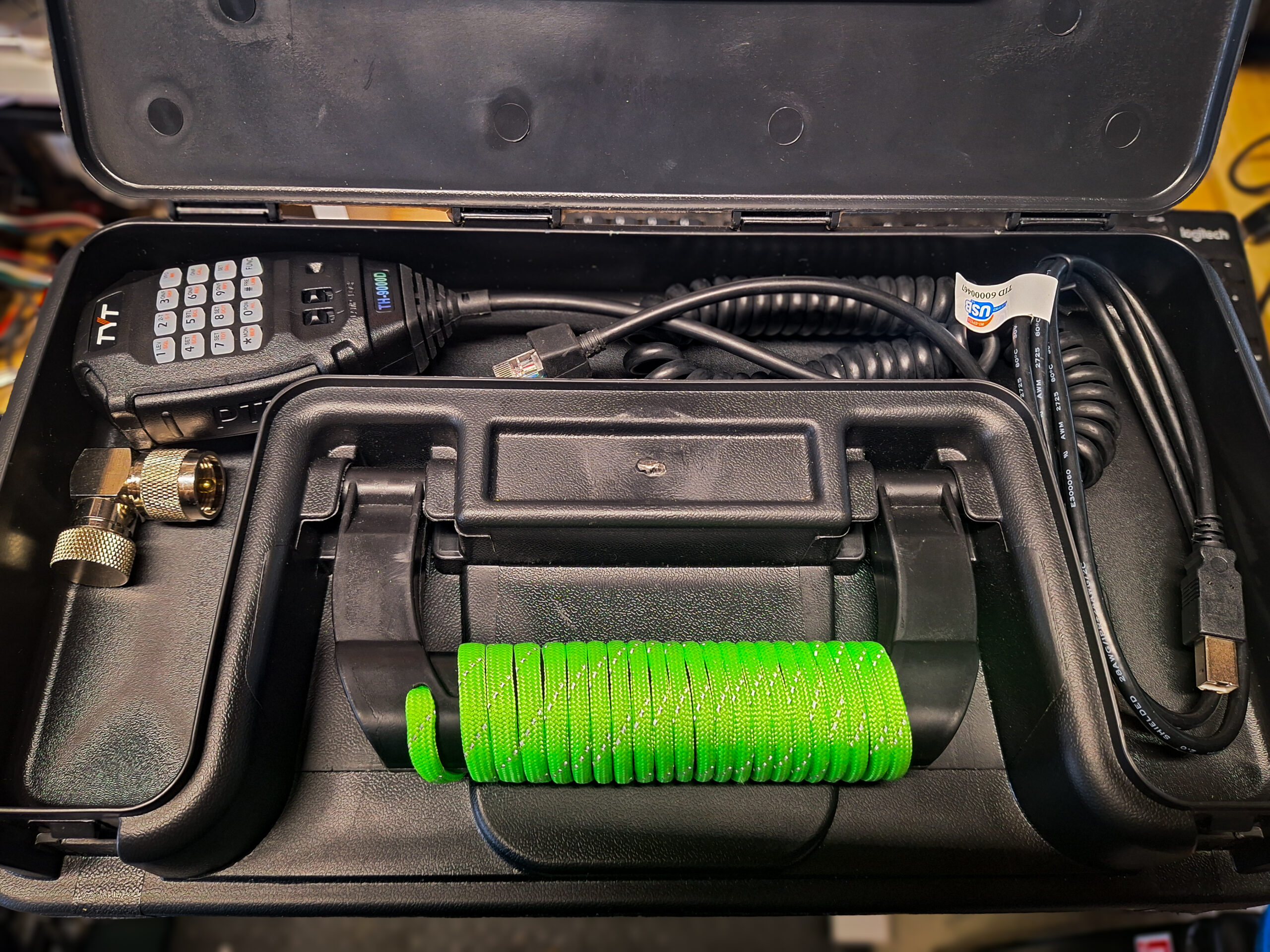
    Open top storage compartment of Utility Box with microphone and various other accessories.
  8. Once assembled, power up the unit and test by connecting power to the unit and checking with a local Winlink Express client to connect to the Tactical Gateway.
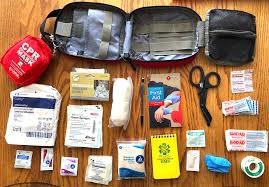
First Aid Kits for Emergency Communication Groups

The information contained in this document is for reference only, check with local EMS protocols and training.   WaveTalkers cannot be held liable for any information contained within this document if used outside scope, training and knowledge.

By Scott, EMT KM6RFB

Introduction:
The importance of having a well-stocked first aid kit is critical for any emergency communication group. Whether you’re volunteering for a disaster response, supporting community events, or assisting with field operations, having the right tools and knowledge can make all the difference in an emergency. This post aims to guide you through the essential components of a first aid kit and why it’s important to tailor it to your group’s needs.

About the Author:
By Scott, EMT KM6RFB Placer County ARES EC
A retired Lt. Firefighter, EMT, Hazmat Specialist, and member of the Disaster Medical Assistance Team (DMAT), Scott has 27 years of experience in emergency medical services. He currently serves as a Safety Specialist under Federal HHS.

Why First Aid Kits Matter:
In emergency situations, especially those involving extended response times or limited access to definitive medical care, a first aid kit becomes your lifeline. However, it’s not just about carrying a box of supplies; it’s about knowing what’s inside, how to use it effectively, and recognizing when to seek professional help.

Key Considerations When Building Your First Aid Kit:
The contents of your first aid kit should reflect the size of your group, the specific medical needs, and the type of situations you anticipate. Here are some key factors to consider:

  • Medical Knowledge of Group: Tailor your kit to the skill level of your group members. Ensure everyone has received appropriate FA/CPR training.
  • Size and Duration of the Group: Larger groups may require more supplies, and longer deployments demand more comprehensive kits.
  • Distance from Medical Care: A kit should be well-equipped for long periods without access to definitive care.
  • Event or Mission Specifics: Consider the nature of the event. Will you need items for trauma care, burns, or environmental conditions like heat or cold?

Critical First Aid Items (P.A.W.S.):
I recommend organizing your kit using the PAWS acronym, which helps ensure you have the essential supplies for any situation:

  1. Prevention/Procedures: Trauma scissors, medical gloves, hydration mix, insect repellent, sunscreen, and hand sanitizer are key to preventing injury and infection.
  2. Analgesics/Antibiotics/Anaphylaxis: Ibuprofen, acetaminophen, antacid, and insect sting relief help address common medical concerns such as pain, upset stomachs, and allergic reactions.
  3. Wound Care: Hemostatic gauze, trauma pads, gauze sponges, Band-Aids, and butterfly skin closures will be essential for treating injuries. Don’t forget wound dressing, splints, and disinfectants.
  4. Survival: Items like a survival blanket and emergency food/water can make a huge difference in a crisis.

Pre-Built Kits vs. Custom-Built Kits:
While pre-built kits offer convenience, they often fall short in quality and quantity for specific needs. When building your own, it’s essential to select high-quality items from trusted brands, such as McKesson or Medline, and purchase supplies in bulk to ensure you’re adequately stocked. Customizing your kit also allows you to add the necessary items for your unique group and the types of events you’ll support.

Maintaining Your Kit:
First aid kits are only useful if their contents remain in good condition. Expiration dates are crucial—medications, sterile items, and gloves can degrade over time. Regularly check your kit to ensure that everything is functional, especially for items like medical gloves, which can become brittle.

The Importance of Training:
Your first aid kit is only as effective as your team’s training. I highly recommend every member take a First Aid/CPR course. Familiarize yourself with how to use the kit’s contents and stay updated on new procedures. Understanding your limits and knowing when to seek help are just as important as having the right tools.

Automatic External Defibrillators (AEDs):
Consider investing in an AED for your group. These devices have become more affordable and are crucial for responding to sudden cardiac arrests. AEDs are user-friendly, with voice prompts to guide you through the process.

Documentation:
In the world of emergency response, documentation is vital. Keep accurate records of any injuries, treatments, and actions taken during an event. ICS forms, such as the ICS-214 (Activity Log) and ICS-206 (Medical Plan), should be used to ensure clear communication and accountability.

Conclusion:
Creating the perfect first aid kit for your emergency communication group requires careful thought and planning. By considering your group’s medical needs, training level, and the nature of your deployments, you can ensure you’re always prepared to handle any situation that arises.

Start by doing research, talking to local emergency professionals, and always remember that preparedness saves lives. And don’t forget—regular training and practice are key to making sure your first aid kit is used effectively when the time comes.


PREVENTION/PROCEDURES

ItemItem
Trauma ShearsNail Clippers
Medical Gloves (Nitrile)Lip balm
TweezersSPF 50+ sunscreen
Hydration mixWater resistant Notepad and Pen
Medical Tape (Cloth)Hand sanitizer
Insect RepellentVaseline®
Ice Packs 

ANALGESICS/ANTIBIOTICS/ANAPHYLAXIS

*Note Be careful handing out medications due to allergies, potential medication conflicts and liability issues; this section is for personal use only. Know your state’s laws regarding providing medications. *

ItemItems
IbuprofenAspirin
AcetaminophenDiphenhydramine
Loperamide (Imodium®)Antacid (Tums®)
Insect Sting ReliefBetadine
Burn Gel (lidocane)Cortisone Cream™
Gold Bond Powder™Anti Chafing powder

WOUND CARE

ItemItem
Hemostatic GauzeSelf-adhesive wrap
MoleskinAlcohol prep pad
Gauze Sponges (Sterile & Non-Sterile)Antibacterial ointment
Adhesive Bandages (Fabric)Triangular Bandage
Knuckle bandages (Fabric)Sam® Splint
Steri Strips ClosuresElastic Bandage (4” Min)
Trauma PadsEye Wash Solution (4oz)
Roller GauzeEye Drops (Single Use)
Cotton SwabsClotting agent
CAT® TorniquetTegaderm® Transparent Film Dressing

SURVIVAL 

ItemItem
Survival blanket (84˝ x 52˝) 


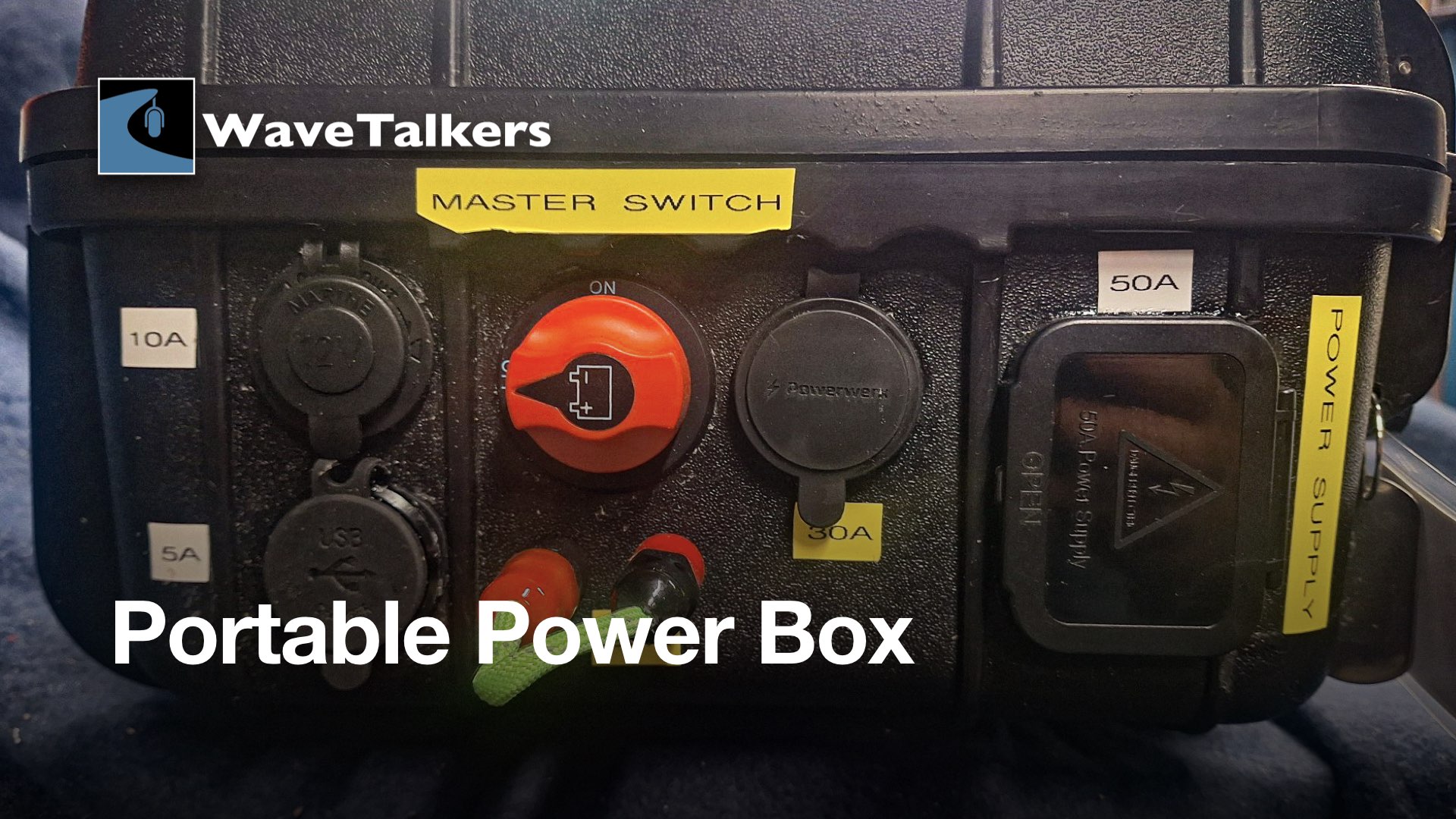
Portable Power Box:

The primary purpose of building battery boxes for amateur radio is to safely contain and protect the batteries used to power radio equipment, especially during emergency situations or field operations, by preventing damage, providing secure connections, and shielding them from the elements, all while allowing for proper ventilation to manage the potential heat buildup. 

Key reasons for using a battery box in amateur radio:

  • Safety: Battery boxes provide protection from damage, which can be harmful to people and equipment if exposed. 
  • Protection from elements: A box shields the battery from weather conditions like rain, snow, and extreme temperatures, ensuring optimal performance. 
  • Secure connections: Battery boxes can be designed to hold the battery firmly in place, preventing loose connections that could cause sparks or damage to the battery.
  • Ventilation: Proper ventilation within the box allows for the release of heat produced by the electricity moving through the wire, and preventing potential hazards. 
  • Portability: A dedicated battery box allows for easy transport of the power source to different locations for field operations. 

Once you decide you want to build a portable power case, here are some considerations to help guide you on this project.

Type of Case: There are several types of cases to be used from plastic to metal ammo cans, Hard cases like Apache, Condition 1, Pelican, SKB and many more. All of these come in at different price points, construction and durability.  Some cases have wheels for ease of movement, but they can be bigger, which has both positive and negative qualities.

Functionality:  Things you can build into the case

  • DC to DC power conversion.
  • Bluetooth power readouts to your smartphone.
  • DC to AC inverters, be sure to use a pure sine wave device and that it has enough power (watts) to do what you want.
  • The ability to charge your small electronic devices.
  • The ability to hook into a wide variety of connectors.
  • Remember the more bells and whistle you put in, the more power is consumed and the cost increases and last but not least, more chance for failure.

Durability: This ties itself back to the first point. If money was not a factor Pelican cases would be my go to for lots of reasons. But I have to work on a budget and I have to balance this out. People have mixed reviews of Apache cases but they are on the more affordable side of the scale. I have been using an Apache case when I deploy to disasters to carry my CPAP machine with no issues. Recently I have discovered Condition 1 cases out of Texas. They offer a lifetime warranty and seem pretty solid. So for this build I went with a 1179 case from Condition 1. Now I mentioned earlier that another case option was the plastic ammo can. Very affordable and easy to work with, but not very rugged. Choices are very dependent on your budget.

You have put some thought into this project and you have done your research – what other things do you need in order to be successful?

Tools: You will need a basic set of tools such as:

  • Screwdrivers: Common and Phillips
  • Automotive Crimps: Spend the money on good quality tools
  • Wire Strippers: There are a lot of these on the market
  • Wire Cutters: Again quality matters
  • Digital Voltmeter is very handy to have to ensure proper voltages.
  • Heat shrink gun
  • Powerpole crimps
  • Step and regular drill bits
  • Wired or cordless drill
  • Dremel Tool with Barrel sander
  • Label maker

Materials: Additional things you might need:

  • Double Sided Tape
  • Plastic wire ties (these are for cleaning up your wiring).
  • Heat Shrink (to seal the automotive crimp connectors and to add some strain relief).
  • Automotive crimp connectors: Rings, butt connectors
  • Hook and Loop fasteners
  • Resettable fuses:
  • Inline fuses on each port with the appropriate rated fuse.
  • Silicon to seal all of the ports (to make it water tight).
  • Rubber Caps for putting over terminals (to prevent electrical shorts).
  • Webbing 1″ wide and buckles (this is not a requirement but it does keep things from moving).
  • 10 gauge stranded copper wire.
  • Spare Blade Fuses
  • High-vis label tape.
  • Red Loctite
  • Black or Grey Speaker Carpet (makes for a cleaner project).
  • Thin sheet of birch plywood (allows you to attach items without penetrating the case)
  • 3M spray adhesive (for attaching the carpet to the plywood)
  • Powerpole distribution block with blade fuses
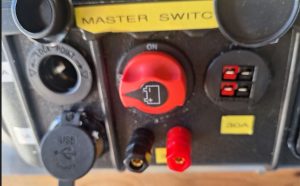
  • Master kill switch (to turn off all the power)

Most of the tools and materials can be purchased from the WaveTalkers Store on Amazon.

Skills

When undertaking a project like this, remember you are working with AMPS! (Remember volts don’t kill, amps do.) We are working with discharge rates like 10, 25, 50, 75, 100 amps, so make sure you have a good understanding of wiring. We need to ensure solid connections as well as building in some protection to avoid electrical shorts. The skill and knowledge levels can be rather to very complex.

Once you have figured out case and battery size and function. I highly recommend you draw out a build plan for everything. I would also do a wiring diagram to help you understand and address some of the ideas above.

For my project I decided I wanted a very portable case, not small and not too big. Again, the idea is to be deployable without a lot of big heavy items. I wanted to be able to deliver power to various connectors that I might see in the field. I determined what my radio equipment needs will be, with room for expansion. So here are my requirements:

  • Condition 1 #1179 Case with only lid foam.
  • 50-Amp hour LiFePO4 battery with a low profile.
  • Power outlets
    • Powerpoles
    • USB-C & A ports
    • 12-volt power socket
    • Binding posts 
  • Weather resistant

Considerations: For my build I chose not to have any built-in panel lights or lighted gauges, because they all draw power. It is a personal preference.

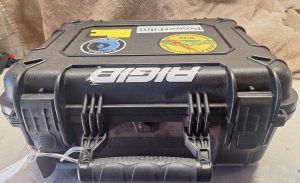
Condition 1 Case #1179 Top View

Condition 1 Case #1179 Side View

Condition 1 Front View

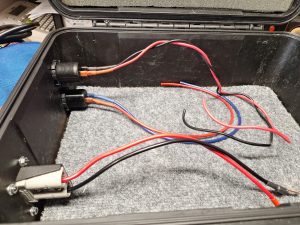
The wooden/carpet board install and installing the ports

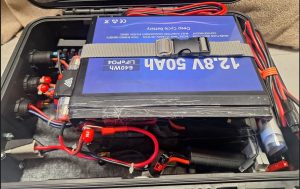
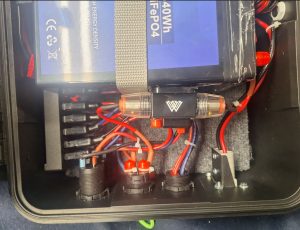
View of battery install in relation to wiring

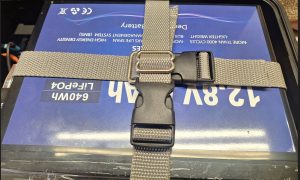
Battery strapped down

50 Amp resettable fuse

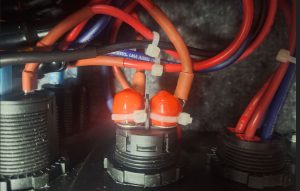
The protective caps on exposed terminals

Side view of case with ports installed

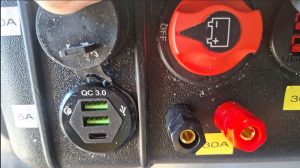
USB A & C ports

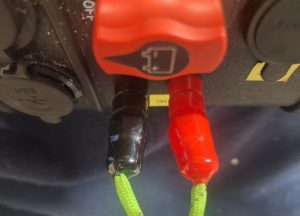
Protective caps for the binding posts with green P-cord

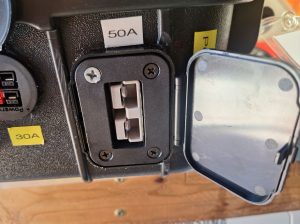
This is the 50 Amp Powerpole wired straight to the battery.

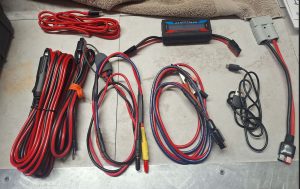
Different built adapters.

50A Battery Case

50A Battery Case Materials List

1 – Condition 1 #1179 Case

1 – Circuit Breaker Switch 50A Waterproof Fuse Inline Holder Resettable Fuse Manual Reset 12V-48V DC for Car Audio Sound Amplifier System RV Home Marine Boat Truck  ASIN B0BXWFW61B

1 – 10Pcs 4mm Banana Plug Socket Plated Terminal Amplifier Speaker Terminal Connector ASIN B07DH6Y8LW

1 – Powerwerx PanelPole2, Panel Mount Housing for Two Anderson Powerpole Connectors with a Weather Tight Cover ASIN B097QDKJJ2

1 – Battery Disconnect Switch Battery Isolator Switch Main Switch 12V-48V Cut Shut Off Isolator Switch Max. 32V DC 100A Cont 150A INT ON-Off Power Switch for Marine Boat Caravan Car Vehicles Yacht Bus ASIN B0BXSDW99W

1 – Cllena 12V USB Outlet Dual PD USB C & Quick Charge 3.0 Car Charger 3 Port USB Socket with Voltmeter and Power Switch, Multi-Function Car USB Charger Adapter for Car Boat Marine RV Truck ATV etc. ASIN B0CMHD68MB

1 – 2Pcs Embedded Plug Installation Panel, Anderson Plug Panel Base with Dust Cover, Flush Mount Bracket Panel Kit, Plug Mounting Panel (Without Plug) (50A) ASIN B0D131W78D

1 – Cigarette Lighter Socket Car Marine Motorcycle ATV RV Lighter Socket Power Outlet Socket Receptacle 12V Waterproof Plug by ZHSMS ASIN B07H1MGWFN

1 – 400 PCS Round Vinyl Flexible End Caps Bolt Screw Rubber Thread Protector Safety Cover, Soft Rubber Cover for Indoor and Outdoor, Home Use, Construction Site Use, 10 Sizes in Red & Black ASIN B09B8YD6NV

1 – 40″ x 40″ Speaker Box Carpet Car Sub Woofer Trunk Liner Felt Black Fabric for RV, Boat, Truck, Automotive Interior, Marine, Home Floor (Grey) ASIN B0DD9LSLWD

1 – YoungTree 12V 50Ah LiFePO4 Battery, Built-in 50A BMS, Deep Cycle Lithium Battery Up to 15000  Cycles & 10-Year Lifetime, Suitable for Trolling Motor, Backup Power, RV, Camping, Off-Grid  ASIN B0CLTYFRKV

1 – 6 way Fused DC power splitter distribution fits Anderson Powerpole connector B EBAY: bd7-maple

1 – 10 Gauge Wire (35FT Each, Black/Red), 2-Pack Translucent Power Ground Cable, CCA, Primary Automotive Wire, Battery Wire, Car Audio Amp Wire, Trailer Harness Cord, Lightning Wire, Electrical 10AWG Wire ASIN B0CZ73JSQ8

Power Tool Batteries & Amateur Radio

Power Tools Batteries & Amateur Radio

WaveTalkers Amazon Shop: Emergency and Off-Grid Power Essentials

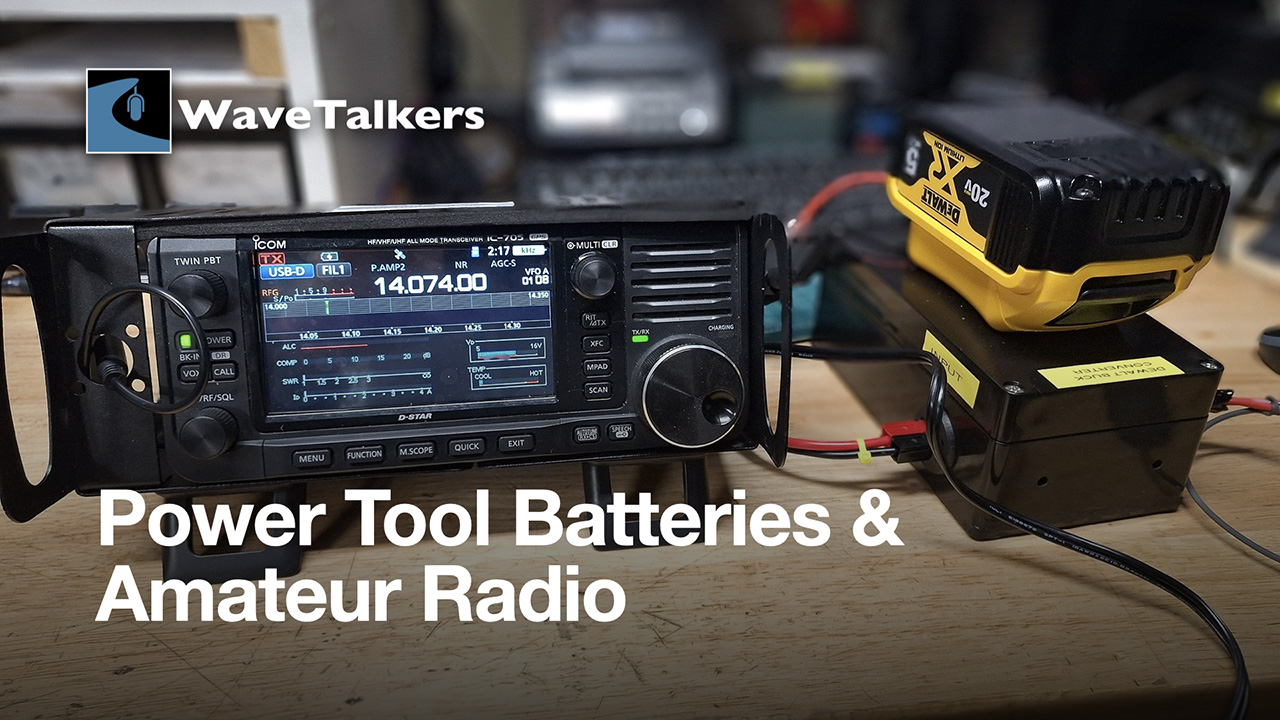
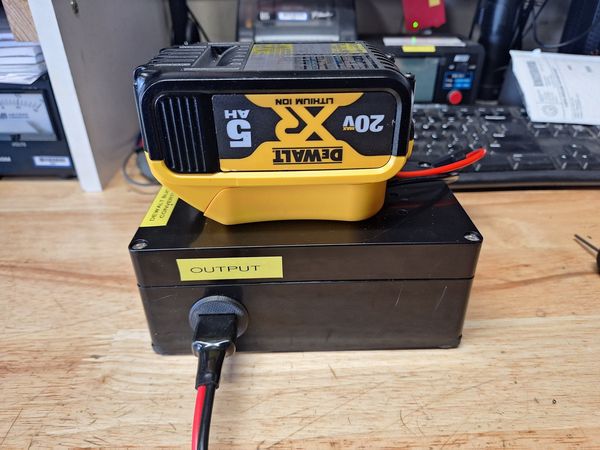
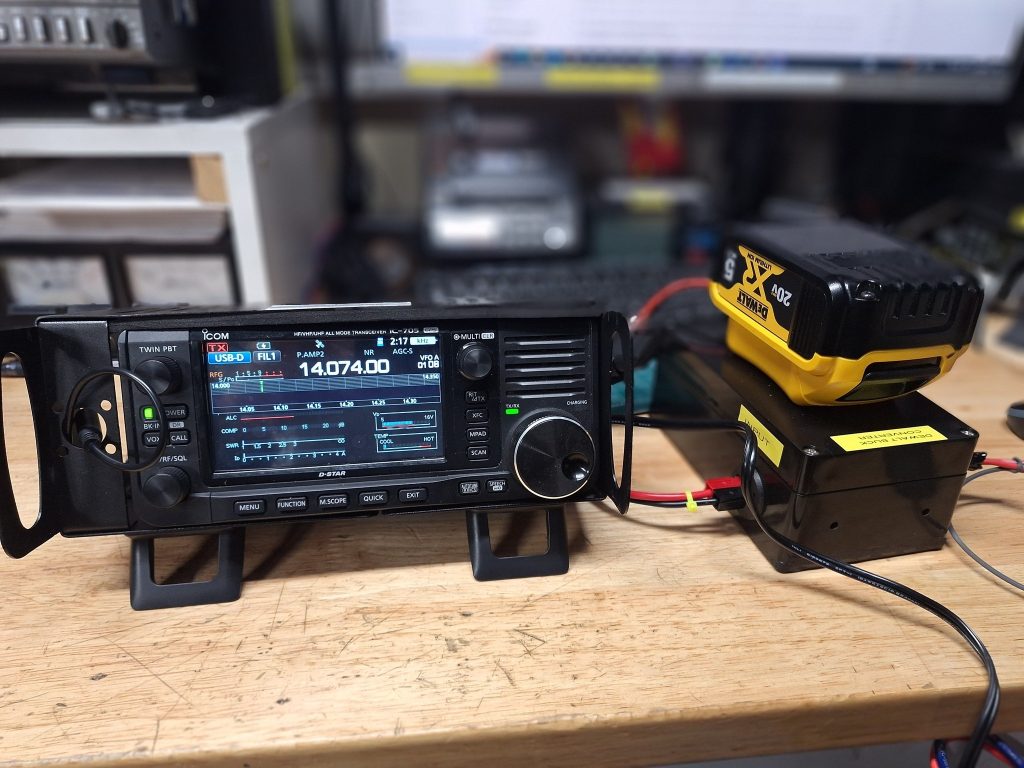
In this project, I will show you how to tap Power Tool powerpack batteries for other uses.

Why do this? Powertool batteires come with quality built-in protection, good quality chargers, parts are readily available (i.e. more batteries or chargers), and are meant for high amperage peak usage.

Like most people we all have power tools in garage and have a collection of batteries for the those tools, It would be a huge advantage to be able to use these batteries as portable power with our amateur radio equipment. The biggest problem is these batteries have an output voltage of 18 to 20 volts but our radios work on 13.8 volts.

So with a little searching and talking to other people I came up with a solution for theses extra batteries. The solution I came up with was a DC to DC converter that takes in 8 to 40V and outputs anywhere from 12.11 to 13.8 volts depending on which DC to DC converter you use. The other issue was how to package the unit to make it functional in a field setting.

A DC-to-DC converter converts direct current (DC) from one voltage level to another. There are two main types of DC-to-DC converters: linear and switched-mode.

Linear-Uses a resistive voltage drop to create and regulate the output voltage

Switched-mode – Stores input energy temporarily and releases it to the output at a different voltage

Most DC-DC converters available on Amazon are switching converters rather than linear converters. The other nice benefit to these converters they are encased in epoxy so, it makes them water resistant.

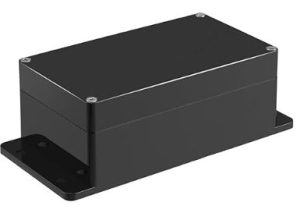
Project Box of Amazon – Plastic Project Box ABS IP65 Electronic Enclosure Waterproof Junction Box with Fixed Ear 6.2″ x 3.55″ x 2.3″

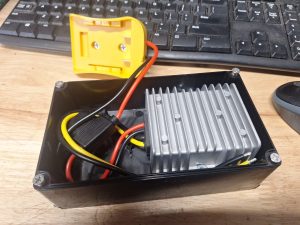
Just after the Dc to Dc converter is mounted in the box on 1/4″ spacers to allow air flow.

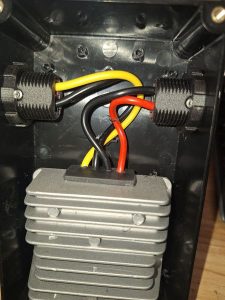
Inside the project box showing the wires going to 3d printed Powerpole panel mounts.

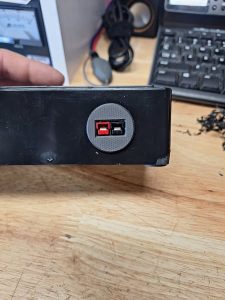
Outside view of the Powerpole Panel mount

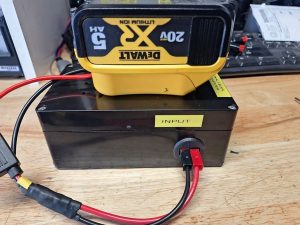
Everything mounted and labeled to ensure correct hook-up

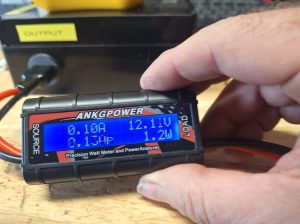
Powered up and showing 12.11 Volts

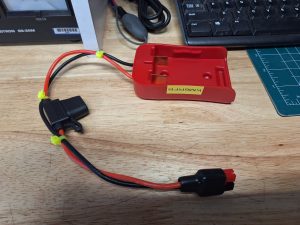
Craftsman battery adapter

Running my ICOM-IC-705

All said and total I have about 2 hours of build time and a cost of about $30.00.

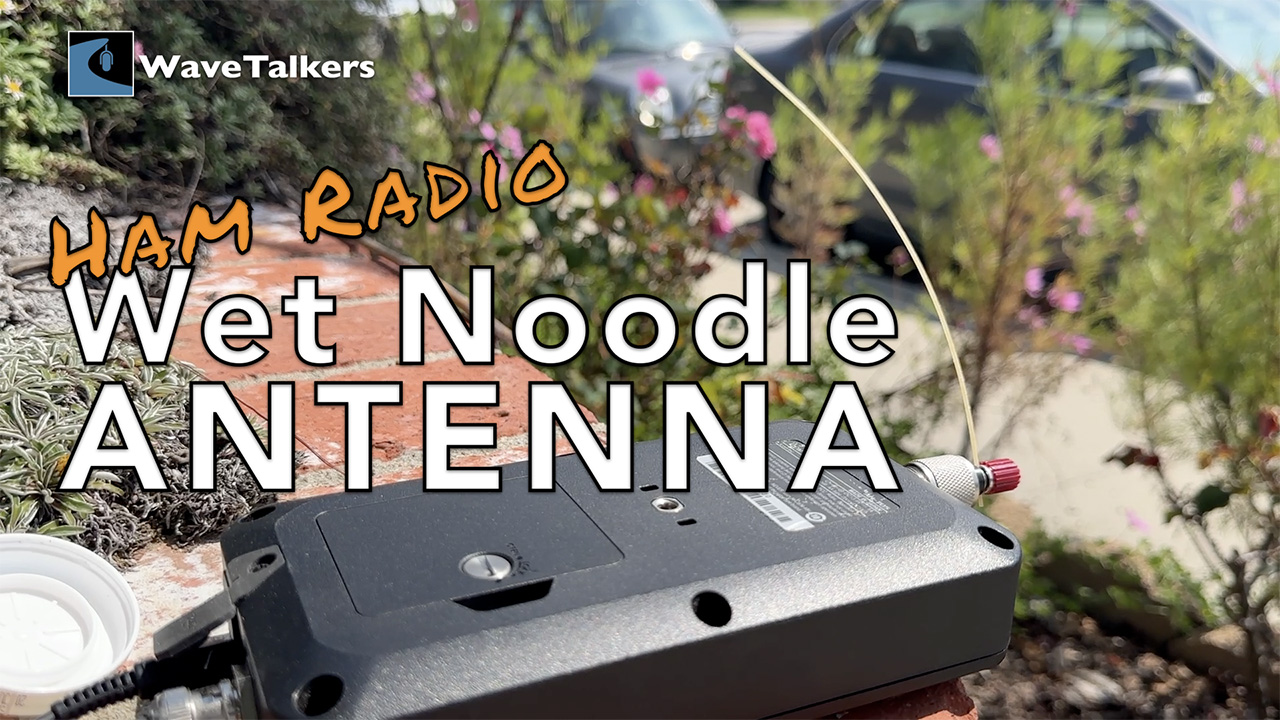
Ham Radio Wet Noodle Antenna

Making A Contact With A Wet Noodle

In this fun short video, W6AH builds and makes a contact using a Wet Noodle. Yes, you read that correctly, A Wet Noodle Antenna!

We have all heard the joke that at the peak of the solar cycle you can make contact with a wet noodle. Well, W6AH decided to put that to the test.

This video was showcased on WaveTalkers LIVE Episode 100 and the voice over you hear throughout the build are fans of WaveTalkers that sent in short voice recordings to be included in this special short video.

We hope you enjoy!