Author: Scott Read KM6RFB
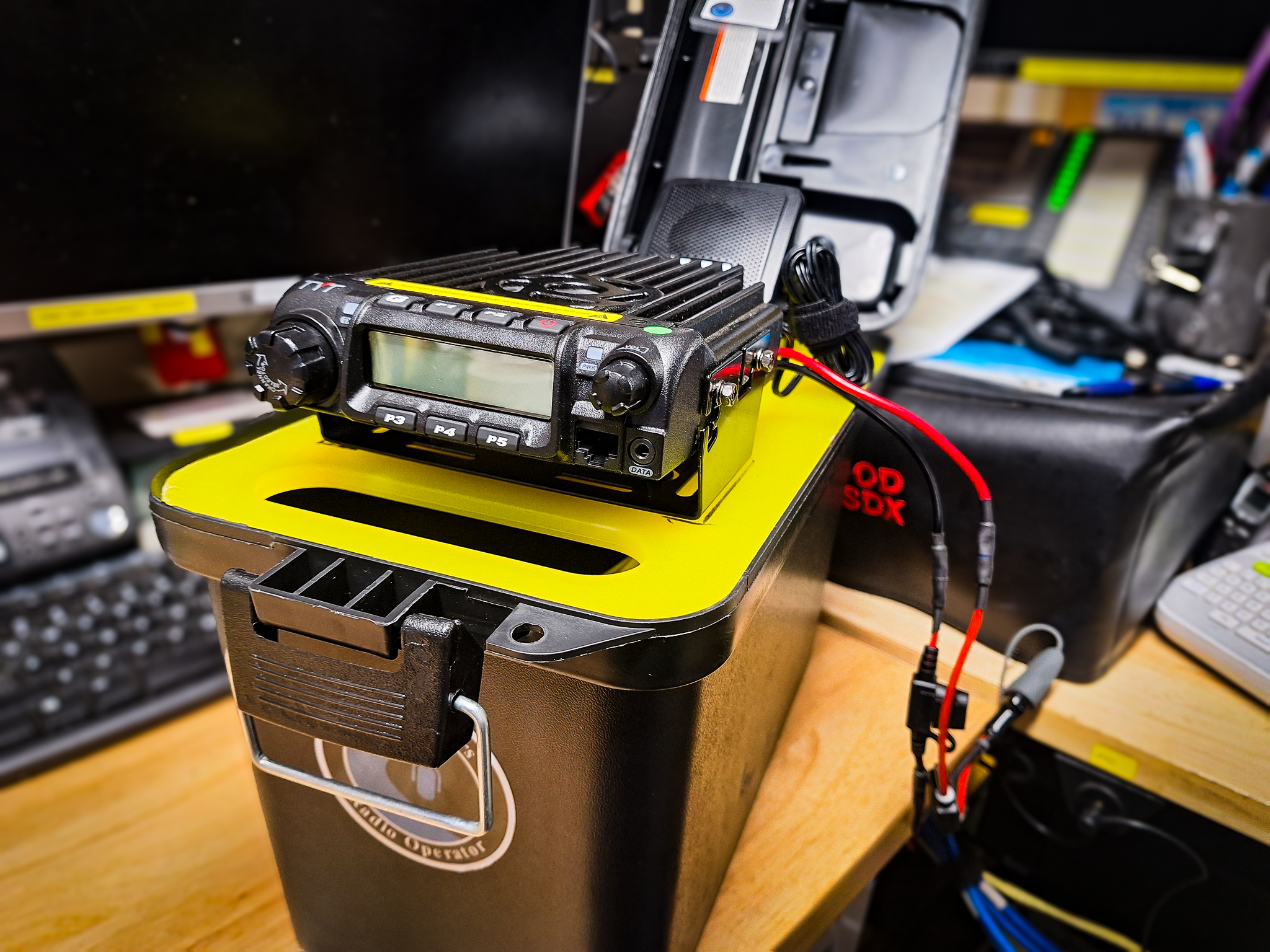
As part of my efforts to build a portable, self-contained Tactical Winlink Gateway, I’ve put together a setup featuring a TYT TH-9000 paired with a Repeater Builder RIM-Alinco wired for the TYT radio. The reason I chose this radio it is very similar to the discontinued Alinco DR-135 and you can add a DB-9 connector on the back of the radio.
Scenario: There has been an incident that has taken down the regional infrastructure and you need to be able to pass traffic with the EOC and your fellow operators. You are located in an area with ridgelines that make it hard to get out, but that can work to your advantage.
This kit allows for you to go to a ridge top that your EOC and fellow operators have RF access to. This kit is design to be a local Winlink Post Office so you can pass traffic to maintain situational awareness and to provide real time information to the EOC or your served agency. This becomes a fantastic tool for emergency communication or remote operations.
The Setup
The beauty of this kit is how compact and practical it is. The entire system is mounted on a cutting board inside a durable case. To set it up, I simply open the case, flip over the board, and the radio is already mounted and ready to go. It’s a real “plug and play” system, and it’s easy to transport and deploy in various environments.
For added functionality, Self-Contained Power, one of the best features of this kit is the space available for a LIPO4 battery underneath the radio. This means the entire setup is self-contained — no need for external power sources when you’re in the field. It’s an ideal solution for portable operations, especially when you’re relying on battery power for extended periods.
Needed equipment to complete this project:
1-Utility Box.
1- 15.5” L x 10” W Hard plastic cutting board. Trimmed to fit just inside the Utility box.
1- TYT TH-9000 Radio either VHF or UHF.
1- Repeater Builder Rim-Alinco wired for the TYT TH-9000D radio.
1- Uniden BC7 Bearcat 7-Watt External Speaker.
1- SO239 to So259 Chassie Mount Connector.
1- RG8X 1’ Jumper Cable PL259 to PL259.
1- Panel Mount RJ45 Waterproof Connector.
1- Beelink Computer.
1- N9TAX Rollup antenna.
1- 50’ – P-Cord.
Where to Find the Gear
If you’re interested in putting together a similar kit, I sourced all my equipment from the WaveTalkers Amazon Shop: Tactical Winlink Gateway. It’s an excellent resource for amateur radio gear, and a great way to support WaveTalkers since we earn a commission on any items you purchase, yet this doesn’t cost you an extra penny, so thanks for using the store when buying the parts for you Tactical Winlink Gateway. All of the items have bee selected to ensure compatibility and reliability in the field.
Conclusion
Whether you’re building your first flyaway kit or looking to upgrade an existing setup, the combination of compact radios, sound cards, and a reliable power source can make a world of difference in field operations. The flexibility and convenience of a self-contained system make it an invaluable tool for amateur radio operators everywhere. Stay tuned for updates as I complete my next kit, you can find more information about this build and other great information at WaveTalkers or watch us on the WaveTalkers YouTube channel.
Build Instructions
- Cutting Board: Trim the cutting board to fit inside the Utility Box so that it will rest of the top most inner lip of the box. I used a table saw, sander, and files to finesse the fit of the cutting board to match the contours of the box.
The open handle of the board should be on the end of the cutting board where the box opens at so it can be used to easily lift the board and radio once everything is fully mounted.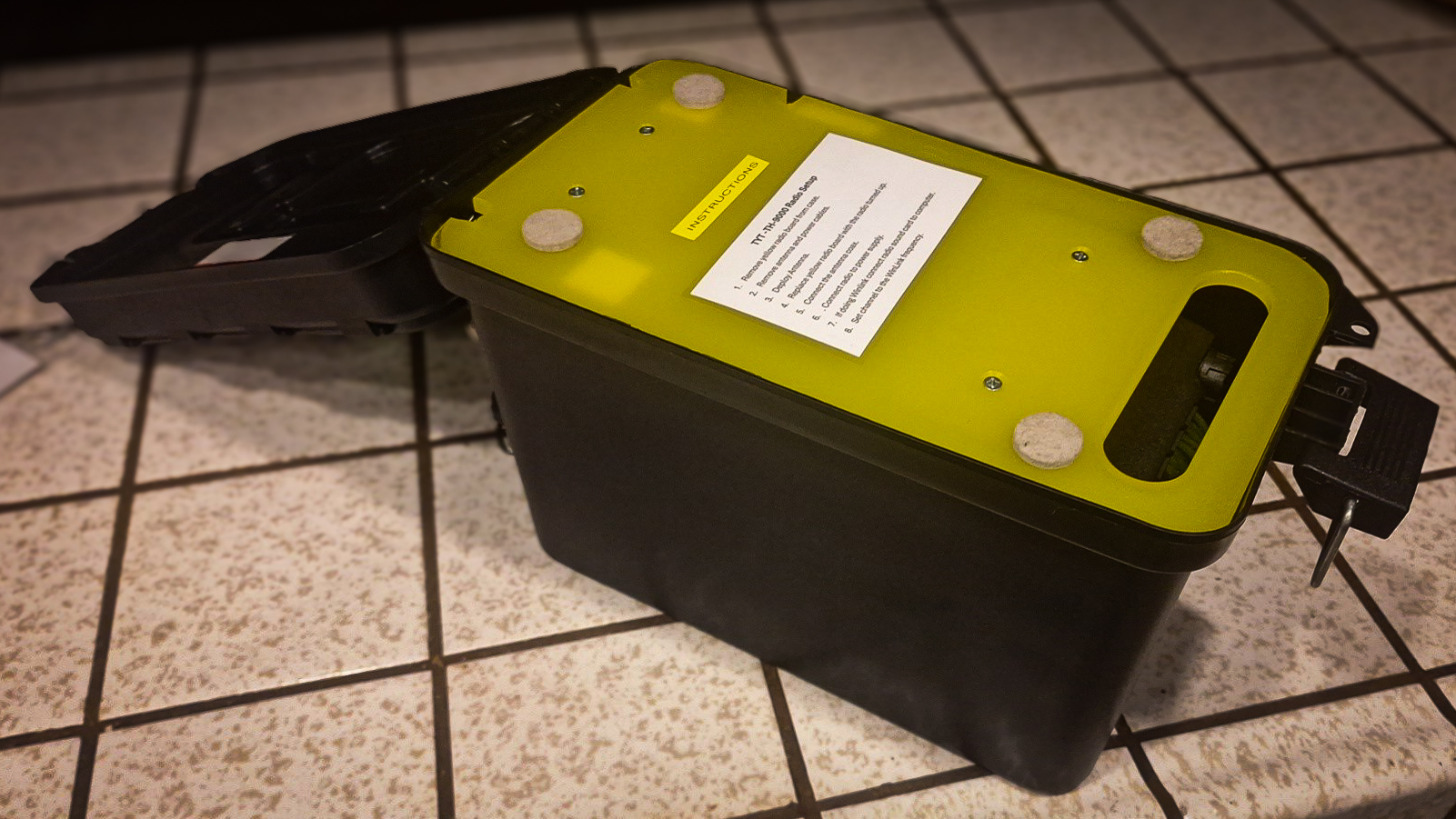
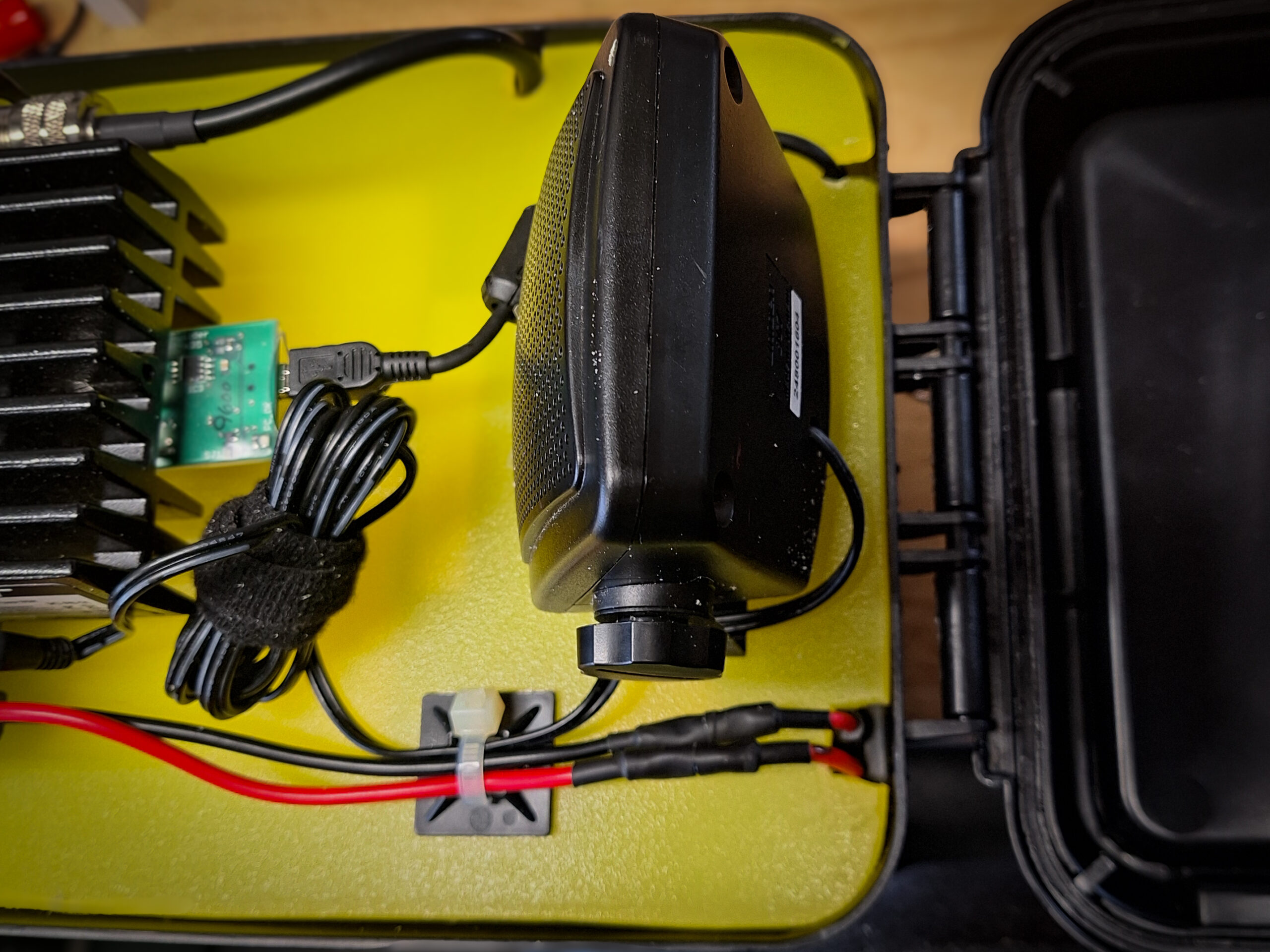
- Radio and Speaker Placement: Attach the radio mounting bracket to the radio and likewise for the speaker. Find an optimal placement of both units on the cutting board as shown.
Be sure to leave enough room for around the edges of the cutting board so that equipment will not touch the walls of the box when the board if flipped over in the stowed position. Also, ensure there is enough room between the radio and the speaker for the Alinco RIM board and all cabling.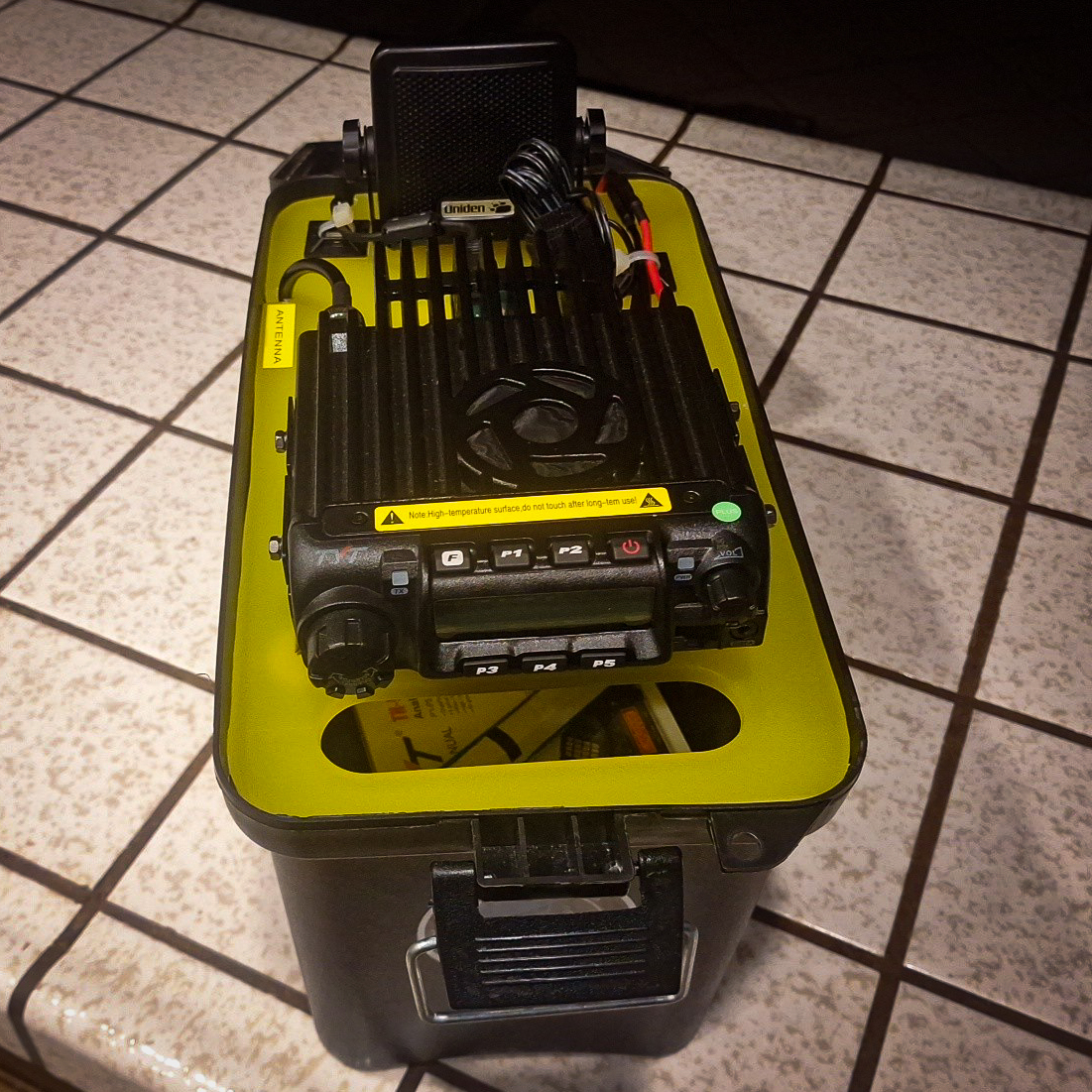
Find optimal locations for the Coax, USB, Radio Power, and speaker wire notches. Mark and cut notches large enough for the wires too pass through and not chafe. Using a round file, add a small radius to each notch to allow cables to smoothly pass through the notches when deploying and striking the Tactical Gateway.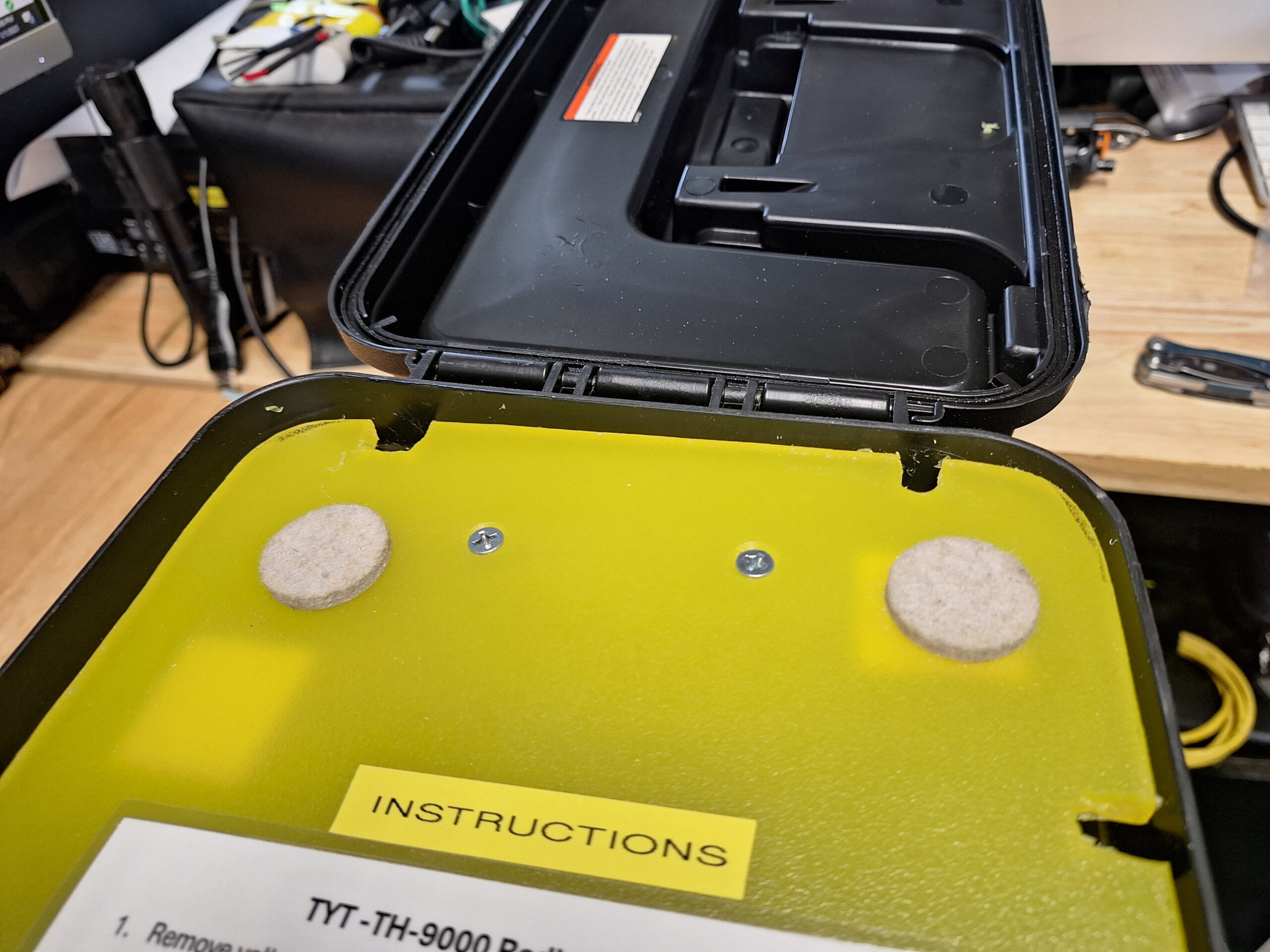
Mark all mounting holes. Double check hole placement, then drill and countersink all mounting holes. Then remove the radio and speaker from their respective brackets and attach the brackets to the cutting board. Then reattach radio and speaker.
- Finishing the Radio side of the board. Using a label maker, label each notch to note which wires should be passing through each notch. Attach the Alinco RIM board to the radio and attach the USB cable. Run all other cables to check for fit then attach zip tie anchors to the cutting board and secure all wires with zip ties.
- Utility box build: Locate and drill appropriately sized holes for the Coax, Ethernet, and Power Pole panel mounts and all mounting screws.
Pro Tip: Before installing panel mount components, seal the components to the box with silicone sealant to prevent water intrusion into the box. Attach screws or backing hardware and allow to fully cure.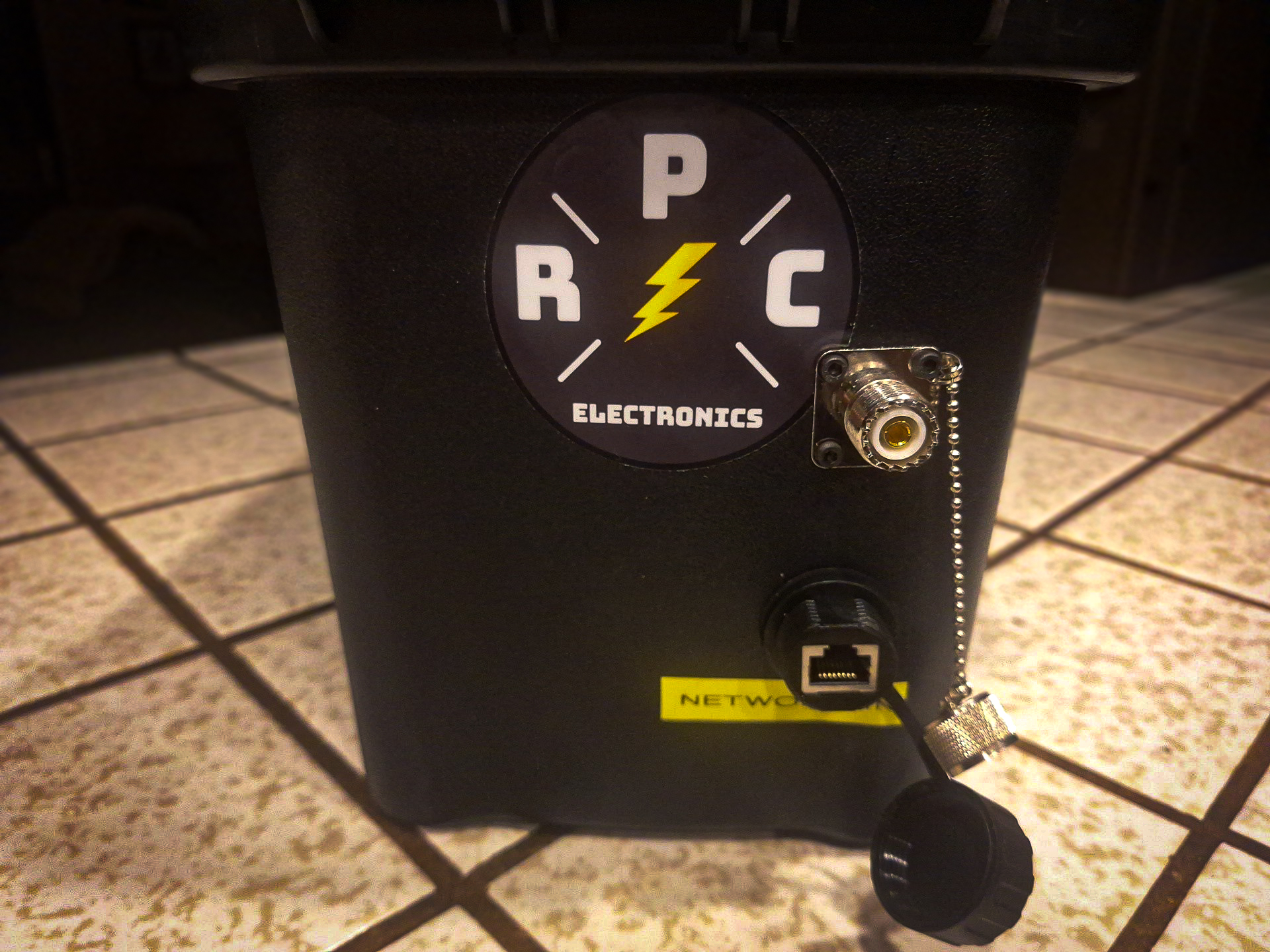
- Install Gateway PC: located the micro pc in the middle of the bottom of the Utility Box. Ensure the power and USB cables have room to run unobstructed in the direction of the hinge on the Utility Box. Once placement has been identified, clean the bottom of the box with 70% isopropyl alcohol and allow to dry. Then attach adhesive back loop side of hook and look fasteners that you have cut to the size of the under side of the micro pc. Press firmly to ensure adhesion to the box. Repeat this for the bottom of the micro PC ensuring to avoid any air vents. Use 2 pieces of the hook side of the adhesive backed fasteners and stick the adhesive backs to together to form a double sided hook tab the size of the bottom of the micro pc. Attach this double hook tab to the bottom of the box and then attach the micro pc on top of the assembly.
Using this method of attaching the hook and loop fasteners, ensure maximum flexibility in attaching additional accessories in the future. As a bonus if the micro pc is reused in another capacity, the loop side of attachment system will have a soft pad on the bottom and only stick to surfaces that you want it to stick to.
Include a HDMI cable for the micro pc. Carefully coil the cable and use a hook and loop one wrap to secure the cable. The HDMI cable is for connecting a monitor during maintenance. The micro pc should be configured to auto boot on power connection, and automatically launch all necessary RMS software as described in WaveTalkers LIVE Episode 57 and Episode 58.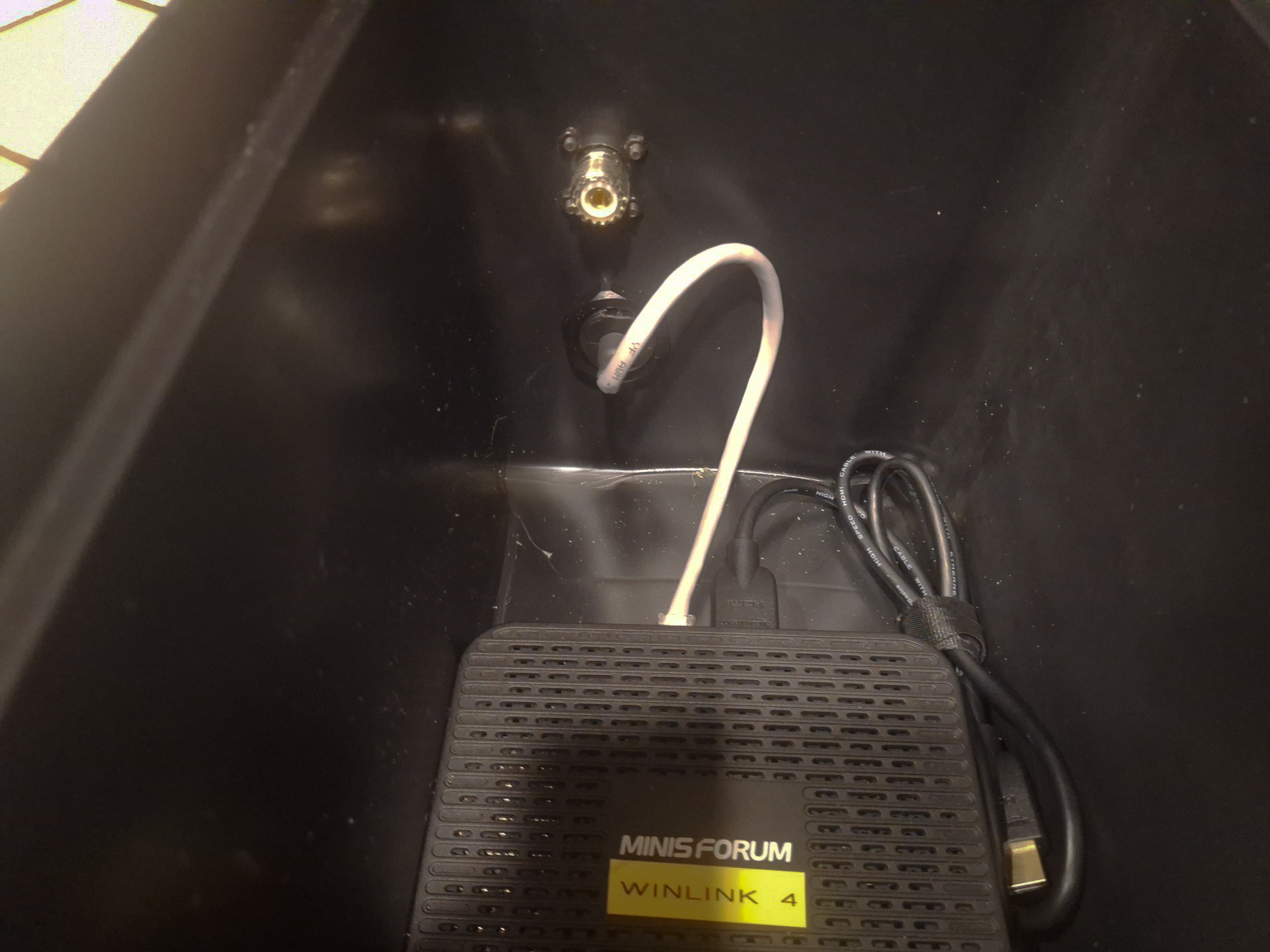
- Accessories: organize appropriate accessories into small kits that will fit into the Utility Box and will be appropriate for your needs. Suggested items would include: mag mount antenna with coax, Ed Fong or N9TAX roll up slim jim antenna with coax, 50 ft of working line with throw bag for roll up antenna deployment, small flash light or glow sticks for night deployments, LiFePO4 battery or a separate battery box, coax adapters, short 2 inch piece of 1/2 inch pvc pipe with 6 ft of gaffer tape wrapped around it, small pocket knife or plier tool, spare fuses and other power adapters if necessary. Organize kits into small Packing Cubes or similar stuff sacks.
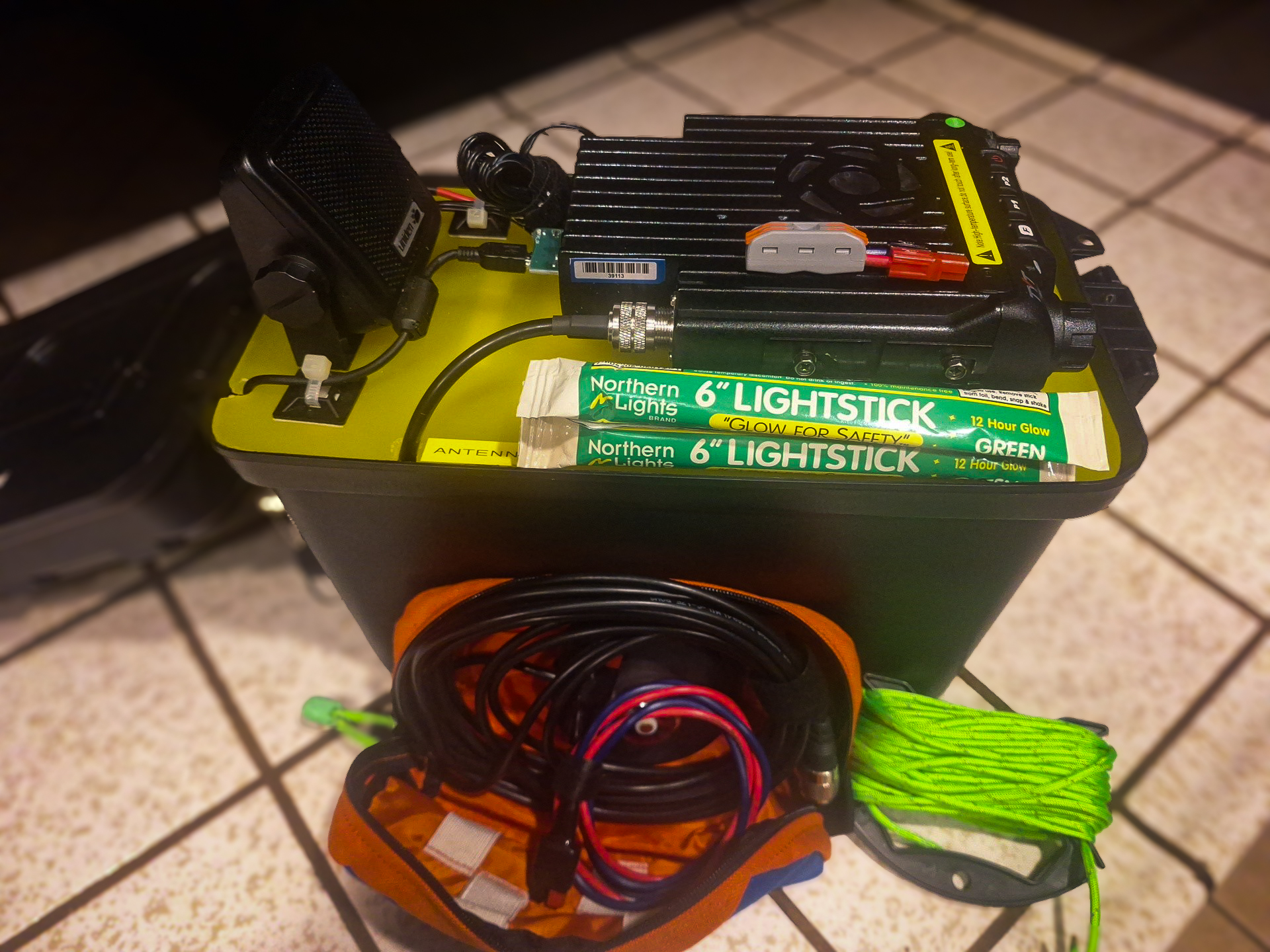
- Lid Storage items: Radio microphone for voice traffic can be stored in the lid or Accessory kits.
Pro Tip: Install a length of colored utility line onto the handle of the Utility Box to add quick visual identification of your Tactical Winlink Gateway and act as a padded handle. The color of the Utility Line should match the color of tape or stickers that you have chosen to mark all of your gear for quick identification during deployments.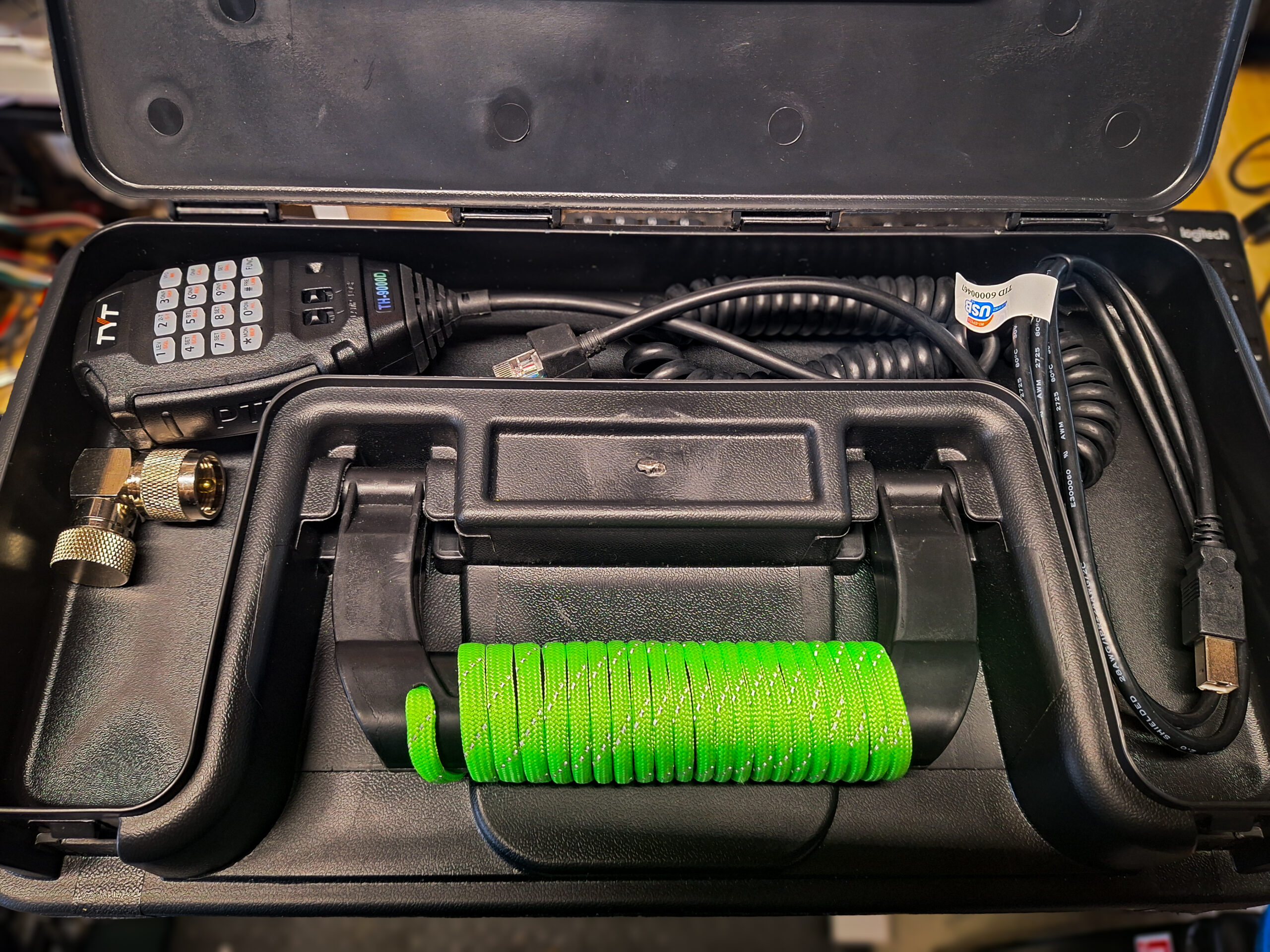
- Once assembled, power up the unit and test by connecting power to the unit and checking with a local Winlink Express client to connect to the Tactical Gateway.
